
Get this app from Google Play Store for automatic updates & security. Use APK if Play Store is unavailable in your region or you need an older version.
Screenshots
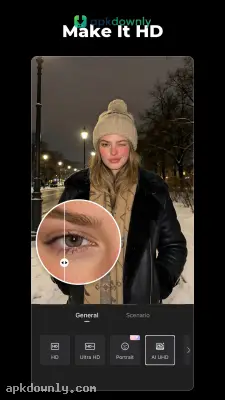

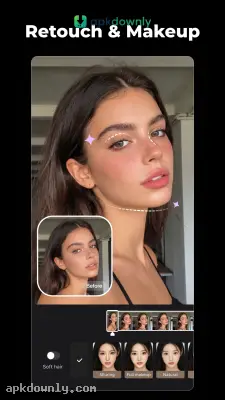
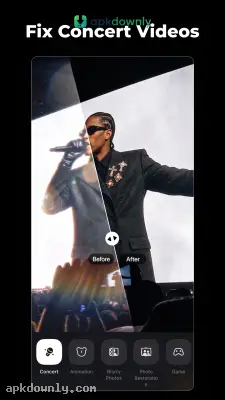

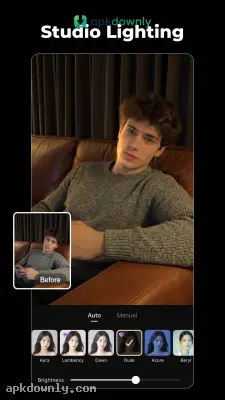


Screenshots from Google Play
More in Video Players & Editors
View all →


About this app
Wink
Wink is a mobile editor that fixes blurry videos with AI. Sometimes you film something fun at night and the camera just won’t focus. You end up with a clip that looks awful on a bigger screen. Normal phone editors let you cut clips or add a basic filter. But they can’t fix shaky, grainy footage from a dark room. The Wink APK handles those repairs right on your phone. You upload a low-quality clip and the software sharpens the pixels until things look crisp. It works as a video enhancer that fixes bad lighting without needing a computer.
The main screen groups tools by what you actually need to fix. You pick a task, choose your video, and let it run. A vertical slider shows the before and after side by side so you don’t save something that looks fake. And you get manual sliders for almost every effect. If the skin smoothing makes a face look plastic, just drag the slider back until it feels right again.
Key Features Inside the Wink APK
The developers focused on the everyday problems that show up in regular phone videos.
- Resolution Repair: The system turns soft footage into sharp HD or 4K. It brings back lost detail in blurry backgrounds and cleans up faces in older grainy clips.
- Face Retouching: You can add light digital makeup or smooth blemishes on a moving person. The software tracks the subject so the fixes stay locked on as they walk around.
- Object Removal: You can wipe a distracting sign or a stranger out of your video completely. You just rub your finger over the item, and the editing tool automatically covers the blank spot with matching colors from the surrounding area.
- Background Change: You can separate a person from a cluttered background and place them in front of a solid color. This works very well when you want to build clean product videos for a small business.
- Auto Captions: The editor listens to your audio and types out matching text on the screen. It can then change those spoken words into different languages to help your videos reach a wider crowd.
How to Install the App
Getting this editor on your Android phone only takes a few steps.
- Get the setup file. Pull the newest installation package from a safe website and store it on your device.
- Change your permissions. Go into your device security settings and allow your browser to install outside files.
- Start the install. Tap the downloaded file in your storage folder and let Android finish the setup.
- Import your media. Launch the editor, tap the repair button, and choose a messy clip from your gallery.
- Run the repair. Wait for the tool to process the pixels, use the middle slider to confirm it looks good, and save the result.
Always connect to a strong Wi-Fi signal before saving heavy files out of the Wink APK so you do not waste your monthly cellular data.





