
EPIK
Get this app from Google Play Store for automatic updates & security. Use APK if Play Store is unavailable in your region or you need an older version.
Screenshots
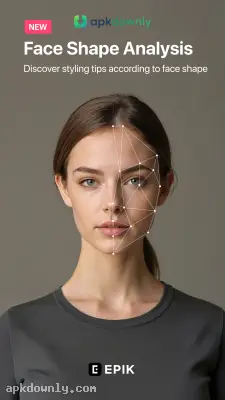
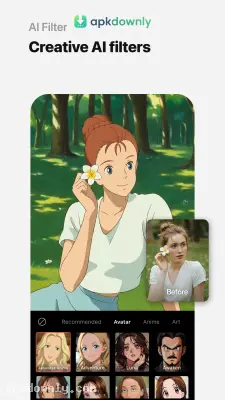

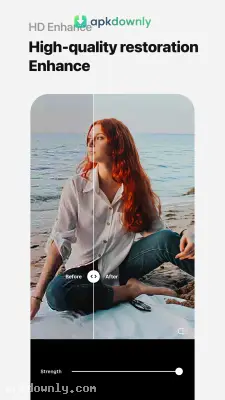


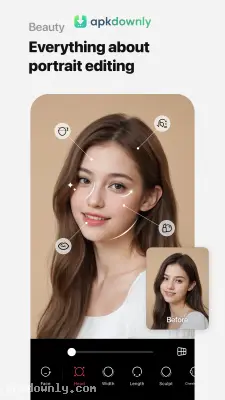
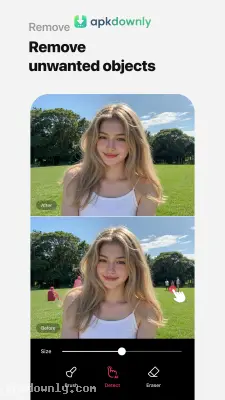
Screenshots from Google Play
More in Photography
View all →


About this app
EPIK
EPIK is a mobile app that lets you alter pictures directly on your phone. You probably take dozens of photos every week. Most of them need a little help before they go online. The EPIK AI photo editor is a photo editing tool that helps you fix lighting, erase photobombers, and try out new looks. You don't need to sit at a desktop computer to get clean results. Editing on a phone used to mean just slapping a cheap filter over the lens. This app gives you actual control over the final image.
What You Find Inside the Editor
The menu does not clutter your screen. Opening an image brings up a basic toolbar at the bottom of your display. You can trim the edges and straighten tilted horizons quickly. But it does a lot more than simple cuts.
You can tweak individual colors with the HSL menu. If a cloudy sky looks washed out, you can boost the blues without ruining skin tones. You can drop in dust particles and film grain to make digital shots look like vintage prints. You can also slap text layers and thick borders across your pictures. The app offers a large gallery of stickers. You just pinch and drag them exactly where they need to go. The workspace feels very responsive to touch commands.
Key Features of the EPIK AI Photo Editor
This software relies on AI to save you time. The creators added specific shortcuts to skip the boring parts of fixing photos.
- AI Filters: You can switch into a cartoon style with a single button press. The program scans your face and paints a digital drawing right over the actual picture.
- Object Eraser: Background crowds often ruin a good picture. You just brush over them with your finger. The app paints over the mess with matching background textures so nobody knows they were there.
- Face and Body Editing: You can try on new hair dyes or apply fake makeup. You also get a stretching tool to lengthen your legs in wide photos.
- Trend Templates: You can scroll through a long list of ready-to-use designs. You select a style, upload your shot, and the program pastes all the matching filters right on top. This helps you jump on fast-moving internet trends without doing the hard work.
How to Edit Pictures with the EPIK APK
Polishing a bad picture happens quickly. Follow these basic steps to get started.
- Import an image. Hit the main edit button and pick an image from your camera roll.
- Adjust the crop. Use the grid tool to chop off boring edges and level out the background.
- Fix the light. Open the main sliders to tweak the shadows and brightness until your face stands out.
- Clean the background. Grab the eraser tool and paint over trash cans or random tourists so the AI can wipe them out.
- Export the file. Press the save button at the top of your screen to drop a high-quality version into your phone gallery.
The basic app includes plenty of tools for normal posting. You do have to pay a fee to access the premium templates and specific filters. You also might notice some lag when applying heavy templates on an older phone. A paid subscription opens up all the extra tools.
Make sure your original photo is well-lit before you start, so the EPIK AI photo editor has plenty of detail to work with.





