
Get this app from Google Play Store for automatic updates & security. Use APK if Play Store is unavailable in your region or you need an older version.
Screenshots
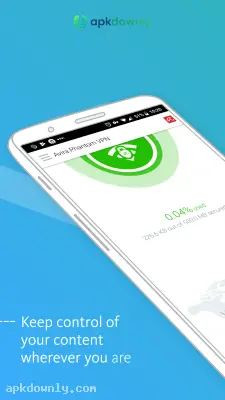
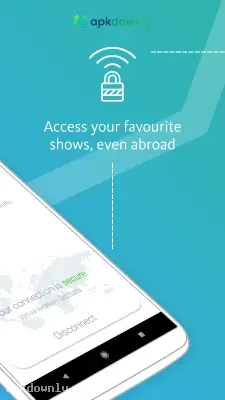
Screenshots from Google Play
More in Tools
View all →


About this app
Avira Phantom VPN
Avira Phantom VPN is an application that hides your internet traffic from strangers. Most of us connect to free Wi-Fi at restaurants and airports without thinking twice. But those open networks are incredibly risky. Anyone sharing that network can snoop on your browsing habits or grab your passwords. The Avira Phantom VPN app stops this by building a secure connection for your phone. It scrambles your data into unreadable text before sending it out. And it comes from a brand that has built desktop antivirus software for decades. You don't have to worry about an unknown developer handling your private data.
What to Expect in the Avira Phantom VPN App
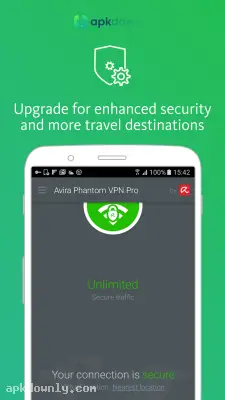
The layout keeps things very simple. You won't find confusing network charts or complicated settings here. The main screen just shows a large connect button in the center. You tap it once, and the software handles all the technical routing in the background. You can see your current virtual location sitting right below that main button.
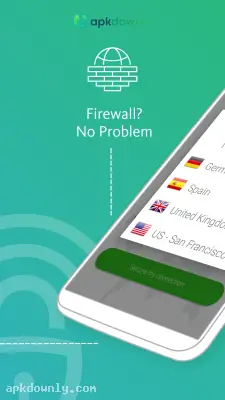
It also gives you a way to bypass regional restrictions. Streaming services often block certain shows depending on where you live. You can open the server menu and pick a different country. The website then thinks you are browsing from that new location. It's a very capable free VPN app if you just need to check your bank account safely while traveling.
Main Features for Your Phone
The developers focused on keeping your digital footprint small. They included specific tools to stop websites from tracking you.
- Strict No-Logs Rule: The company refuses to record the websites you visit. They keep your browsing habits completely hidden from targeted advertisers and your internet provider.
- Global Servers: You can pick from servers located in dozens of different countries. This makes it very easy to hide your IP address from the websites you visit.
- Kill Switch Protection: Phones drop their internet signal all the time. When your Wi-Fi cuts out, this software instantly blocks your data. This prevents your real location from leaking while your phone tries to reconnect.
- DNS Leak Prevention: Your phone sometimes tries to send web requests outside the encrypted tunnel by accident. This software forces every single search query through their private servers so nobody intercepts your typing.
- Data Allowances: The basic tier hands you 500MB of protected data every month. You can double that limit to 1GB just by registering an email address. You will need to buy a premium subscription if you want to stream heavy video files.
How to Set Up the Connection
Securing your phone takes barely any time. Follow these steps to get your private tunnel running.
- Download the software. Grab the file from your app store and let it install.
- Open the program. Tap the icon on your screen. You don't even need to make an account to start using the basic version.
- Choose a region. Tap the location pin sitting near the bottom of your display. Scroll through the text list and pick a country.
- Start the tunnel. Press the massive connect button on the main screen. Your phone will ask you to approve a new network configuration. Tap allow.
- Check the status. The screen color will change to let you know the encryption is active.
Check the settings menu in the Avira Phantom VPN app and turn on the auto-connect feature before joining a hotel network.



