

Alight Motion
Get this app from Google Play Store for automatic updates & security. Use APK if Play Store is unavailable in your region or you need an older version.
Screenshots




Screenshots from Google Play
More in Video Players & Editors
View all →


About this app
Alight Motion APK
Alight Motion brings actual motion design to your phone. Getting the Alight Motion APK gives you the tools to create visual effects and animated graphics directly on an Android device. You no longer need a heavy desktop computer to handle complicated edits.
Lots of people use it to edit videos for TikTok or Instagram. But it goes way past basic trimming and background music. You can start with a blank screen and build full animations while linking layers and tweaking colors perfectly.
Key Features Inside the App
The features here go far beyond basic filters. Here is exactly what you get when you start a project.
Multi-Layer Compositing
Throw as many video, graphic, and audio layers into a project as you need. You can group these layers to move a whole character at the same time. You can also use masks to hide certain parts of a layer.
Keyframe Animation
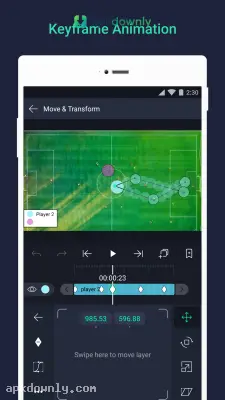
Keyframes sit at the heart of this motion graphics app. You set a start point and an end point for any graphic. Then you decide how that object shifts size, rotates, or fades across the frames in between. You also control easing so the movement feels natural instead of mechanical.
Visual Effects Library
The app includes over 160 fundamental effect building blocks. You can combine these to create highly specific looks. It features precise color tuning, dynamic camera movements with focus blur, and solid or gradient fill options. You also get velocity-based motion blur that reacts naturally to how fast your objects are moving.
Vector and Bitmap Support
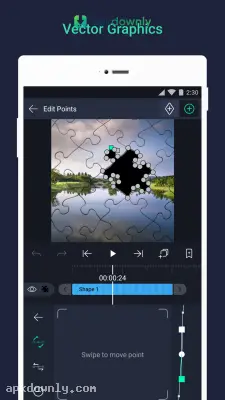
You aren't limited to imported images. You can sketch and edit vector graphics straight on the screen. Drop in custom fonts, add shapes, or draw freehand if you want.
How to Get Started with the Alight Motion APK
Getting used to a new editor takes time. The main screen might look a bit busy at first. Here’s a quick path to your first project.
- Open the app and tap the plus button at the bottom to create a new project.
- Choose your project settings. Select the aspect ratio, pick a frame rate, and set the resolution up to 4K.
- Tap the plus icon on the canvas to add your first layer. You can choose a shape, type text, or import a video from your gallery.
- Select that layer in the timeline and open the Move and Transform section.
- Hit the little diamond shape. This adds a keyframe where your clip starts.
- Drag the timeline forward a bit. Change the position or size of your object. A second keyframe will appear automatically.
- Press play to see the object move between those two points.
- Tap the export button in the top right to save the file as an MP4, a GIF, or an image sequence.
If you prefer not to build everything by hand, load a template made by someone else. Just open it and swap the placeholder images for your own photos or clips.
Try making text move around first before you attempt to build a complex character in the Alight Motion APK.





