

Get this app from Google Play Store for automatic updates & security. Use APK if Play Store is unavailable in your region or you need an older version.
Screenshots

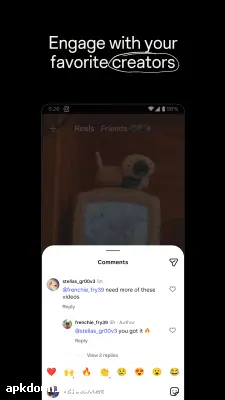


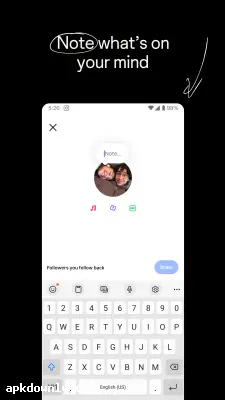
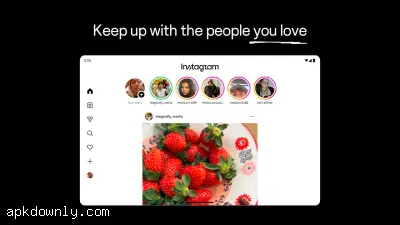
Screenshots from Google Play
More in Social
View all →


About this app
If we talk about social media platforms, no doubt Instagram is the most popular app. You can share content, photos, videos, and any short form of content according to privacy and policies. It not only provides sharing but also lets you connect and communicate with friends, family, and the world. Its simple and easy user interface makes it easier to use, especially for those who have no knowledge. It is a cross-platform app that can easily run on mobile and pc. You can explore your favorite topics, follow favorite content creators, and even you can share your daily moments.
Amazing Features of Instagram
Content To Share:
On Instagram, we can share content like photos and videos, etc.; Instagram even allows you to create and edit content inside Instagram. It provides tons of features like cropping, music, and stickers, which is enough for basic editing. On Instagram, you can share short videos as Reels.
Stories and Notes on Instagram:
If you want to quickly inform your followers or friends, you can use the Stories or Notes options on Instagram. short videos, text, pictures, and stickers with your followers in Stories. Even you can create favorite friends list for quick sharing. After Stories, Notes are the easiest and quickest way to share updates with friends.
Explore and Discover Content on Instagram:
To explore new or popular content on Instagram, you can use the Explore and Discover section of Instagram, where you will find new, popular, and trending content from those you follow. Once you like the content, Instagram will recommend the same content to you by following your activities, such as what you watch most often or repost.
Communication:
Many Instagram users not only share or create content but also use it for communication purposes. Yes, with the Instagram chat section, you can contact friends, family, and even the entire world. In the chat section, you can share videos, audio, and text; you can call directly.
Account Control and Privacy:
In Instagram, you can set your own settings for privacy and account controls. It has two types of accounts: private and public. If you keep your account private, only limited users can watch your content, but if your account is public means everyone can watch your account and content. Furthermore, if you want to protect your account from cyber threats and unauthorized access, you can set up 2-step verification; it is an extra layer of protection.
Guide to Using Instagram on Android:
To use Instagram, first download it from a trusted source and install it. Then click on the Instagram icon; the interface will show if you already have an account, so click on Sign in, or if you do not have an account already, click on Create Account. As a new user creating an account, you have two methods: create an account with Google or a phone number, etc. After this, set your account name, picture, and other required information.
Best steps to make your account safe from unauthorized access and cyber threats: first, use strong passwords by combining numbers, letters, and special characters.
Conclusion:
Overall, no doubt Instagram is the best application to create, share, and communicate quickly with people; Instagram is the best social media platform. Sharing posts, stories, and messages, and setting account controls make it more special. Providing all these features in a single app is amazing. Don’t wait; install the latest Instagram and start using it.





