

Todoist
Get this app from Google Play Store for automatic updates & security. Use APK if Play Store is unavailable in your region or you need an older version.
Screenshots


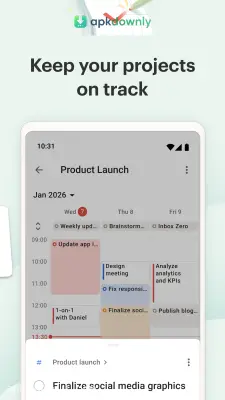
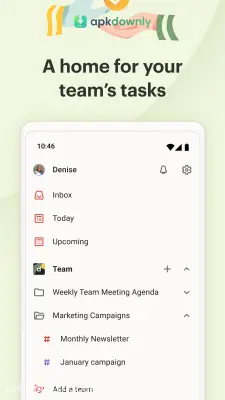
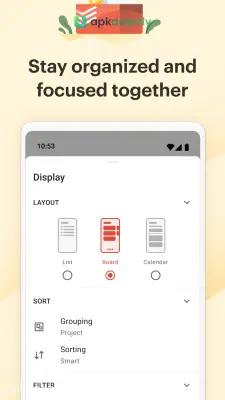

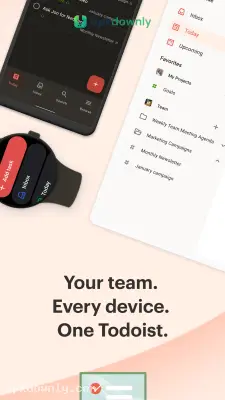

Screenshots from Google Play
More in Productivity
View all →


About this app
Todoist
Todoist is a digital checklist that helps you remember what you need to do. Writing things down on sticky notes usually ends with you losing the note. Keeping everything in your head just causes stress. The Todoist APK puts your entire schedule onto your Android phone so you always know what needs your attention next.
It works as a daily planner for both small errands and massive work assignments. You might need to buy milk on the way home. Maybe you have a strict cutoff for a major office project. Enter the chore, pick a day, and let the software keep track of it. And it syncs up completely with your computer. Mark a task done on your laptop and it vanishes from your phone right away. People use it for daily housework, sharing group projects, and making grocery lists. It replaces that messy pile of paper sitting on your kitchen counter.
Key Features of the Todoist APK
The mobile version stays clean and easy to read. Here’s what you will find inside.
Natural language typing:
You don’t have to dig through several calendars to schedule something. Just type “water the plants every Friday at 8 AM” into the main text box. The app reads those words and sets up a recurring reminder for that exact time. It cuts out a lot of extra taps.
Projects and sections:
Putting your supermarket needs next to your work emails creates a mess. You get to build distinct folders to keep your routines apart. Set up one folder for a family vacation and another for garage maintenance. You can break big jobs into smaller pieces so they feel less overwhelming.
Priority colors:
Some things need to happen today. Others can wait until next week. You can give any chore a priority level. A red indicator marks jobs that need immediate action. A blue indicator flags the routine stuff. That way, you know exactly where to start as soon as you wake up.
Task sharing:
You don’t need to carry the whole load by yourself. Share an entire folder with your relatives or office teammates. When you want someone else to grab the mail, just assign that specific chore to their profile. They get a notification on their phone, and you see exactly when they check it off.
How to Set Up This Task Manager App
Setting up your planner takes very little time.
- Grab the download: Get the Todoist APK from apkdownly.com and open it to begin the installation on your Android phone.
- Register an email: Open the app and enter a valid email address. You can also use your Google account.
- Build a folder: Press the plus sign near the projects menu. Name it something simple like Home or Work.
- Enter a chore: Tap the red button at the bottom of your screen. Write down something you need to finish today and hit enter.
- Mark it complete: When the work is done, press the small circle beside your words. The app will cross it out and hide it from your view.
Install the Todoist APK right now and type out the three most important things you need to finish before you go to sleep tonight.





