

Bitwarden Password Manager
Get this app from Google Play Store for automatic updates & security. Use APK if Play Store is unavailable in your region or you need an older version.
Screenshots
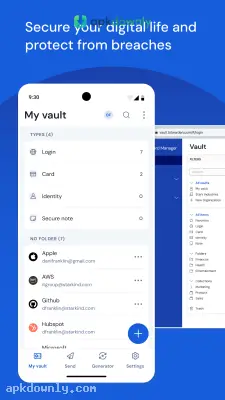
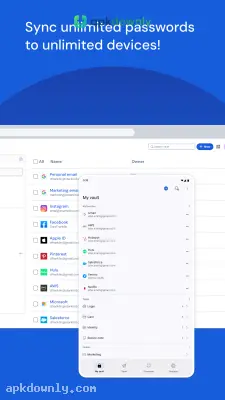
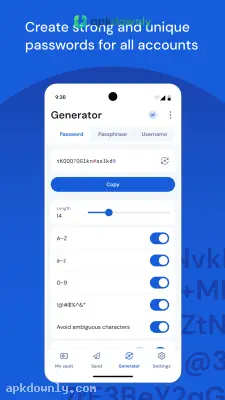
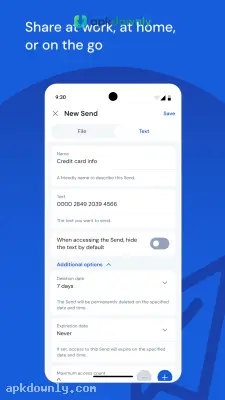
Screenshots from Google Play
More in Productivity
View all →


About this app
Bitwarden
Bitwarden is a mobile app that stores all your login details behind a single master password. It stops you from reusing the same weak phrase on twenty different websites. If you want to stop hitting the password reset button every week, downloading the Bitwarden APK is the right move. You just need to remember one main phrase to get into your account. The app handles everything else.
Managing Your Secure Digital Vault
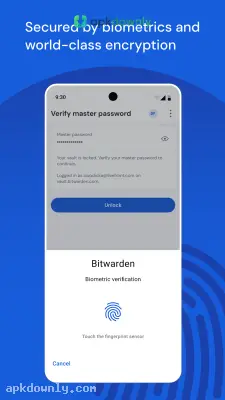
You create a free account and set your master password. This single key is what opens your vault. The app locks your data with encryption before it leaves your phone. That means no one else can read your saved logins. The developers cannot see your data.
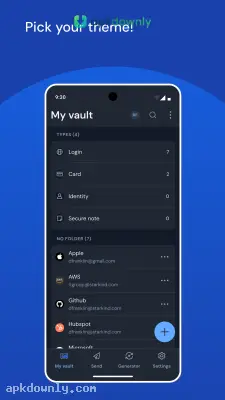
You can save a lot of information here. The app has separate sections for credit card numbers, text notes, and identity details like passport numbers. Keeping things neat is simple. You can set up folders for work emails, banking apps, and social media profiles. And it syncs across all your devices. If you save a new password on your work computer, it shows up on your phone a few seconds later.
Better Security and Autofill Passwords
Creating new accounts takes less effort now. The app has a built-in generator that makes random strings of letters, numbers, and symbols. You ask for a twenty-character password and it creates one. You can also tell it to skip look-alike characters like the letter O and the number zero so they’re clearer to read.
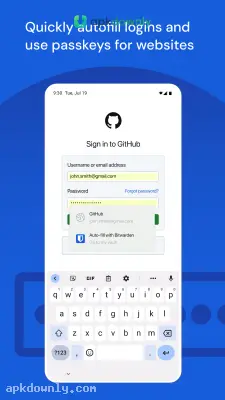
You never have to copy and paste these long passwords. You can set the app to fill passwords automatically in your mobile browser. When you open a login screen, a small prompt appears above the keyboard. You tap it, confirm with your fingerprint or face, and the fields fill in right away. It also supports two-factor authentication codes. You can store your temporary six-digit security codes right next to your password.
Open Source Transparency
People trust this application because the code is public. Anybody can review the codebase for vulnerabilities and weaknesses. The software is routinely audited by independent security firms to ensure the safety of the customers' data. One can also host the servers containing their encrypted data on one's own computer if they so wish.
How to Install the Bitwarden APK
Getting this tool on your Android device takes just a few minutes. Here’s how to get it running.
- Firstly, download the installation file from a trusted source into your device’s memory.
- Secondly, go to your device’s settings, and enable the application of unknown sources.
- Launch the file manager by locating it on your system.
- Navigate to the installation package’s folder, and launch it by tapping on it.
- Finally, follow the instructions provided on your phone to complete the installation process.
Launch the app from your home screen and hit the create account button. Download the Bitwarden APK today and immediately write your new master password on a physical piece of paper to keep in a safe drawer.





