

Evernote
Get this app from Google Play Store for automatic updates & security. Use APK if Play Store is unavailable in your region or you need an older version.
Screenshots



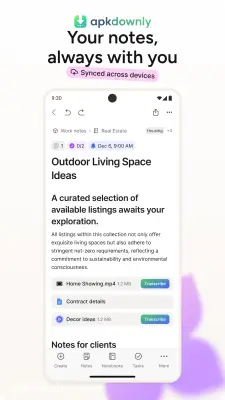
Screenshots from Google Play
More in Productivity
View all →


About this app
Evernote
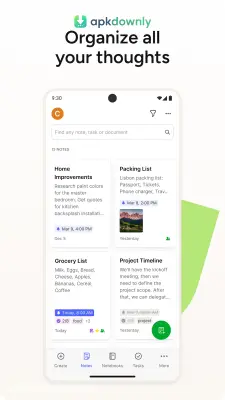
Evernote works as a central folder for your typed text, voice notes, and paper scans. Juggling passwords and work projects across five different apps usually causes confusion. The Evernote APK gathers all those loose details and puts them right on your Android phone. It links directly to your desktop. Type a quick reminder on your laptop, and you will see it on your phone screen five seconds later.
A lot of users treat it as a giant scratchpad. You might paste a dinner recipe one afternoon and write a rough draft for work the next day. It holds everything. You get to leave the heavy paper notebooks at home.
Main Tools in the Evernote APK
The mobile version handles a lot more than basic typing. This is what the app includes.
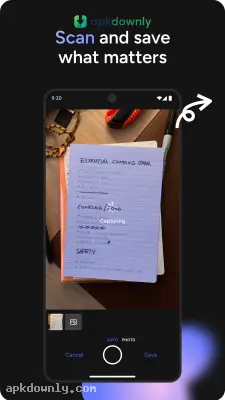
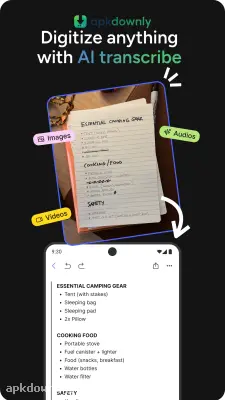
Camera scanner: Physical receipts turn blank after a few months. Business cards get lost in your car console. This app uses your phone lens to drop paper copies straight into your digital folders. It locates the paper edges, removes the desk background, and darkens the ink. But the best part is the search tool. Type a specific word in the search bar, and the software will scan the actual text inside your photo to find it.
Audio recordings: Tapping a glass screen gets frustrating when someone talks too fast. Press the microphone icon to record their voice. You can still type bullet points on your screen while the app records sound in the background. This saves you from falling behind during long classes or busy office meetings.
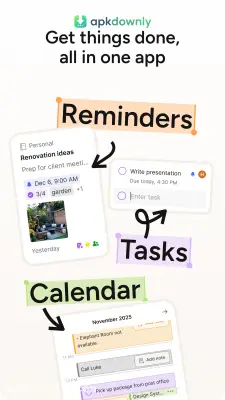
To-do lists: You can drop a standard checklist into any blank page. Put empty boxes next to your daily tasks. Give the critical items a firm due date. The app sends a loud notification to your phone when that day arrives so you do not forget.
Notebooks and tags A giant pile of notes is hard to read. You get to organize things into distinct notebooks to fix this. Keep your work files completely away from your weekend plans. Tagging makes finding your old ideas much faster. Give three different notes a "budget" tag, and they will all show up together when you search for that exact word.
How to Set Up This Note Taking App
Getting this platform running takes just a couple of minutes.
- Get the file: Download the Evernote APK from apkdownly.com and tap it to install on your Android phone.
- Register your details: Open the application and provide a working email. You also have the option to connect a Google account.
- Start a notebook: Tap the notebooks tab. Press the small folder icon to name your very first project.
- Write something down: Hit the big green plus button on your screen. Choose the text option and type out a quick thought.
- Sort it with a tag: Open the menu on your new note. Add a tag like "ideas" to keep it organized for later.
A free account lets you sync data between two different devices. You get a set limit of data you can upload each month. That limit usually covers standard text and a handful of photos without a problem.
Putting your daily notes into the Evernote APK keeps your desk free of loose paper. Grab the file now, start a blank page, and type out a short grocery list.





