

MX Player
Get this app from Google Play Store for automatic updates & security. Use APK if Play Store is unavailable in your region or you need an older version.
Screenshots


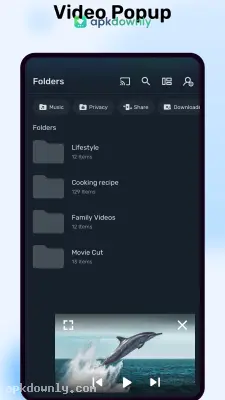

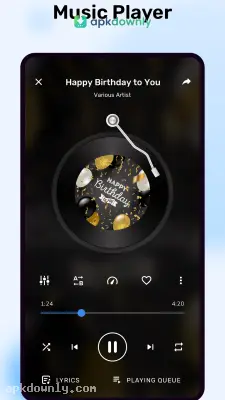

Screenshots from Google Play
More in Video Players & Editors
View all →


About this app
MX Player APK: The Only Video Player You Need
Built-in media players on smartphones often struggle with heavy video files. They tend to give you an error message if the file format is slightly unusual. That's why so many people install the MX Player APK instead. It plays practically every video file you can find.
It is great for downloading shows to watch during a commute. Just save the files to your local storage, and the player takes over from there. It replaces your basic gallery player and organizes all your local video folders in one clean interface. It even finds video files you completely forgot you downloaded.
Why You Need the MX Player APK
- Playing HD movies usually makes a phone run hot and kills the battery in an hour or two. MX Player avoids this through multi-core decoding. It spreads the processing work across your phone's hardware. Your movies load faster. Your battery lasts noticeably longer.
- Then there's the HW+ decoder. This feature forces hardware acceleration so those giant 4K files actually play. You avoid the constant freezing and stuttering that ruins a good action scene.
- But the best part of this video player for Android is the playback screen. You never have to pause a movie to find a tiny settings button.
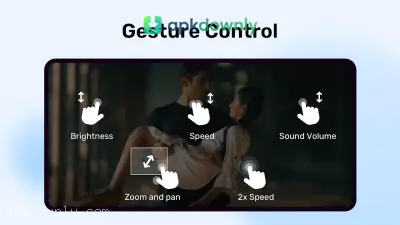
- Screen gestures: Run a finger up the left side of the display to boost the brightness. Slide a finger up the right edge to increase the volume. Swipe across the middle of the video to skip past a boring scene or rewatch a good one.
- Pinch to zoom: You can stretch the screen with two fingers to zoom in on background details without pausing your movie.
- Plays every format: You can open MKV, MP4, AVI, and MOV files immediately after installing. You also won't get those silent video errors because it supports complex audio formats like AC3.
- Kids lock: Turn on lock mode before you hand your phone to a toddler. They can tap the screen all they want. The video will keep playing, and they won't accidentally delete your emails.
Fixing Your Subtitles
Foreign movies need reliable text files. The app finds your SRT, VTT, SUB, and SSA files on its own. Just make sure the text file sits in the exact same folder as the video.
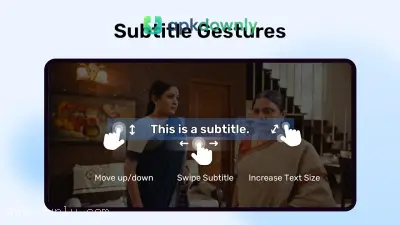
Sometimes the captions show up a second late. You can fix that directly on the video screen. Swipe left or right on the words to sync them perfectly with the voices. You can even pinch the letters to increase the font size, change them to yellow, or pull them higher up on your display.
To Install This App on your Android Phone, You Need to do The Following:
1. Firstly, you need to download the apk file from a trusted source.
2. Then, you need to enable unknown app installation in your Android phone's security settings.
3. After that, you will see a file named with the APK name that you have downloaded in your Downloads folder. You need to click on that file.
4. Finally, you need to open the app and allow it to access your files on your device. Tap any video in the newly created folders to start watching.
The free app does have a few static ads in the main menu, but they completely disappear the moment you start a video. Grab the MX Player APK to get your offline movies playing correctly today.





