

Amazon Kindle
Get this app from Google Play Store for automatic updates & security. Use APK if Play Store is unavailable in your region or you need an older version.
Screenshots


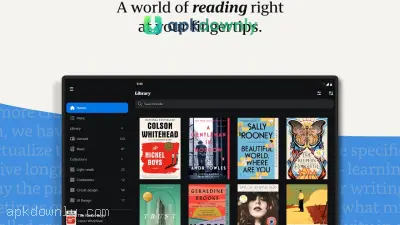
Screenshots from Google Play
About this app
Amazon Kindle
With Amazon Kindle, you can open your entire e-book collection right on your phone or tablet. You don’t need a dedicated e-ink device just to read digital books. Once the app is installed, your personal library travels with you. Read novels on an Android phone while waiting in line, switch to audiobooks in the car, and keep your exact spot synced across every laptop or tablet you own.
A lot of folks assume you need actual Amazon hardware to open their books. You really don't. This mobile app connects to the exact same digital catalog. Knock out a few pages on your phone during your lunch break. That evening, pick up your tablet on the sofa and continue from the very line you left off. It opens heavy history books just as fast as color comic books.
Why People Use Amazon Kindle on Mobile
Staring at a bright phone screen gets tiring quickly when the text layout isn’t right. This app fixes that by letting you control every part of how the page looks.
Check out the core features included:
Whispersync progress tracking: Your exact reading position is saved at all times. Shut a chapter on your phone, and your tablet will load that exact line on its own. Your yellow text highlights, saved bookmarks, and typed notes transfer over as well.
Display and text settings: Change the background to pure black for night reading or soft sepia during the day. Use the slider to enlarge the letters, pick fonts like Bookerly, and narrow the page borders.
Instant word lookup: Hold your finger down on any tricky word. A mini window appears at the bottom showing what it means. Slide that box over to read Wikipedia facts or convert the line into a different language.
Audio companion mode: If you own both the e-book and the Audible version, tap the headphones button to switch from reading the text to listening to the audio.
Multi-page preview: Pinch the screen to see a grid of nine pages at once. Your current page stays pinned at the bottom while you flip back to check a character’s name or look at a map.
Upload your own files: You’re not limited to Amazon store purchases. Email or upload your personal EPUBs, Word files, and class PDFs so they keep your place just like regular books.
Steps to Begin
Setting up your library takes about two minutes. Follow these steps:
1. Grab the Kindle APK from our download link or install it through your phone's app store.
2. Open the software and sign in using your regular Amazon account details.
3. Hit the Library tab on the bottom bar. You will see covers for every book you have ever bought. Tap a cover to save it to your phone storage.
4. Open a book and tap the center of the page. Hit the "Aa" button at the top to change your font size and background color.
5. Open your phone's web browser when you want to buy new books. Because of Google billing rules, you can't buy books with cash inside the Android app itself. Purchase your titles on the website, and they pop into your library within moments.
Subscribers to Kindle Unlimited can grab and read titles right from the app's main screen without touching a web browser. Regular Amazon Prime users also get a smaller batch of free books and magazines to borrow at no extra cost.
It barely drains your battery and runs without lag even on budget or older Android devices. After a title is saved to your storage, you can open and read it with zero mobile data or Wi-Fi. That makes it great for long bus trips or areas with dead cell coverage.
Install Amazon Kindle today and grab a free chapter sample to see how your eyes like reading on your phone screen.





