
Google Drive
Get this app from Google Play Store for automatic updates & security. Use APK if Play Store is unavailable in your region or you need an older version.
Screenshots
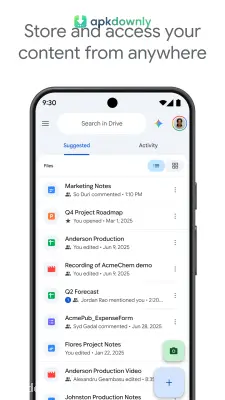
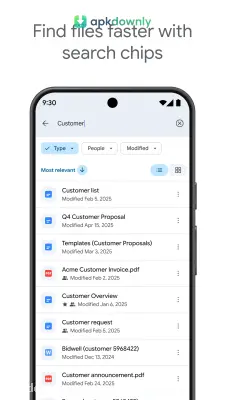
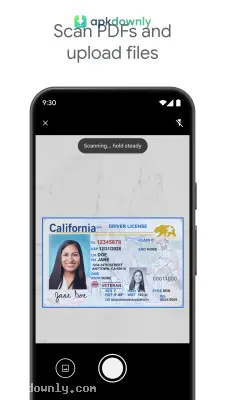

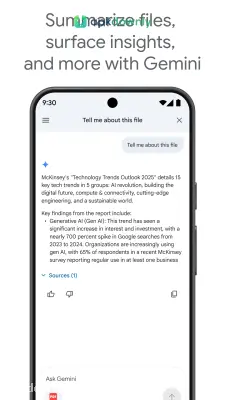
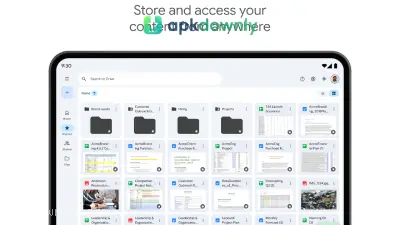

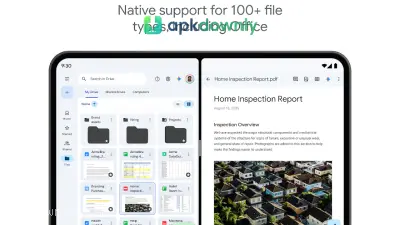
Screenshots from Google Play
More in Productivity
View all →


About this app
Google Drive
Google Drive is a cloud storage application for your phone and computer. It gives you a place to keep your files safe online so you can open them from any device.
When you create an account, you get 5 GB of free space right away. You can increase this to 15 GB for free just by verifying your phone number. This storage pool holds your emails, photo backups, and uploaded files in one place. If your phone breaks or gets lost, your important documents stay protected on remote servers.
We review a lot of utilities at apkdownly.com, and this remains a basic necessity for Android users. It works directly with Google Docs, Sheets, and Slides. You can type a quick note on your laptop and see it on your phone right away. And it handles almost any file format. It lets you preview heavy PDFs, voice recordings, and Photoshop images without downloading separate viewing apps.
Main Features of Google Drive
The mobile version brings desktop-level organization to your phone. Here is what the app offers.
Scan Paper Documents: You do not need a desktop scanner. Tap the camera icon to take a picture of a receipt. The app finds the paper edges, cuts out the background, and saves a PDF you can search.
Send Links Quickly. Sending heavy video files through an email attachment rarely works. You can upload a large video here and generate a private sharing link. Then you just text that link to your coworkers or family members. You have total control over permissions. You decide if visitors can only view the file or if they can make edits.
Work Offline: Wi-Fi signals vanish when you ride the train or travel. You can select important text files or sheets and save them for offline use. The application stores a working copy on your device. This means you can keep typing notes on an airplane. The system updates your online files the second you find a connection again.
Group and Star Folders: Sorting hundreds of files takes effort. You can build folders and assign them colors to separate your work projects from personal items. You can also drop a star on the things you open daily to keep them at the top. They will show up in a dedicated priority tab so you don't have to dig for them.
Find Files Fast The search bar is very accurate. You can filter your files by date, type, or the person who made them. The app actually reads the text in your photos to help you find what you need.
How to Install the App
Installing this on your Android device is very quick.
- Grab the APK file from our page. The file is about 124 MB, so jump on a Wi-Fi network so you do not burn through your mobile data.
- Open the downloaded file to install it. Your phone needs Android 8.0 or a newer version to run it.
- Launch the app from your home screen.
- Log in using your usual Google details. Go to the account settings and verify your number to get your full 15 GB of space.
Remember to empty the digital trash bin. Files you delete still take up your storage for a month before they disappear completely.





