

Get this app from Google Play Store for automatic updates & security. Use APK if Play Store is unavailable in your region or you need an older version.
Screenshots





Screenshots from Google Play
More in Tools
View all →


About this app
RAR
RAR is a mobile utility app that lets you compress files and open archives on your Android device. RARLAB, the team behind the classic WinRAR for computers, built this mobile version. A RAR APK download gives you exactly what you need to manage heavy folders or send multiple files at the same time.
It opens common ZIP and RAR packages right away. And it easily reads other formats like 7z, ISO, TAR, and GZ, so you do not have to install extra software for weird file extensions.
What the App Offers
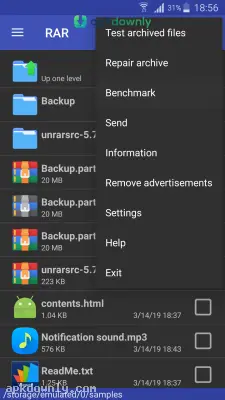
You also get a complete file manager right inside the app. It lets you click through your phone storage to copy, paste, or trash any document. It looks very similar to a standard computer directory.
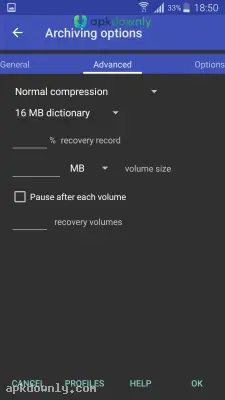
To save space, this file compression app bundles your scattered items into one neat package. You can even lock that new folder with a custom password for privacy. It also supports creating solid archives and multi-part archives. This helps a lot when you're dealing with massive video files or large data dumps that won't fit in a single email.
And it has a built-in repair feature. And if a download breaks halfway through, the app attempts to repair the corrupted ZIP so you can actually open it. It uses recovery records to piece the broken data back together.
Key Features You Get
Here are the main tools this utility brings to your phone:
1. Handles Many Formats: Unpack basic ZIPs or complex 7z archives easily.
2. Local File Manager: Organize, rename, or delete your internal storage folders.
3. Simple Compression: Shrink your big image files down to clear up phone space.
4. Security Options: Hide your personal documents behind an AES encrypted password.
5. File Recovery: Attempt to fix broken archives that failed to download correctly.
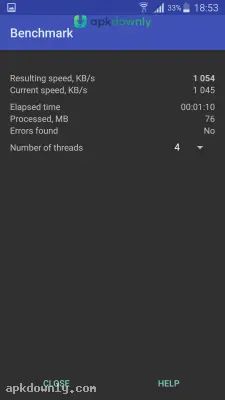
6. Benchmarking: Test your device's speed to see how fast it can compress data.
How to Start Your RAR APK Download
Installing the app takes almost no time at all. Just follow this quick process.
1. Get the installation file from a reliable source like apkdownly.com.
2. Change your device security settings to allow unknown source installations.
3. Click the saved file to start the installation process.
4. Launch the tool and let it access your media and files.
5. Find an archive in your downloads and hit the extract icon to see what is inside.
Handling Large Files on Mobile
Trying to email a batch of high-quality photos usually blocks you with a size limit warning. You can skip that headache by packing those pictures tightly into one archive. The app gives you options for how hard to squeeze the data. Picking the maximum compression takes a bit more waiting, but it shrinks your total file size dramatically.
You can also split a heavy file into smaller pieces. If you have a 1GB video, the app can cut it into ten 100MB parts. The person receiving the files just needs the app to stitch them back together on their end.
Finish your RAR APK download today and start clearing up the cluttered folders on your phone storage.



