

Google Authenticator
Get this app from Google Play Store for automatic updates & security. Use APK if Play Store is unavailable in your region or you need an older version.
Screenshots
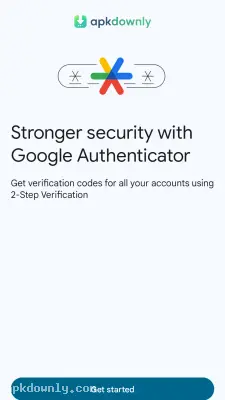


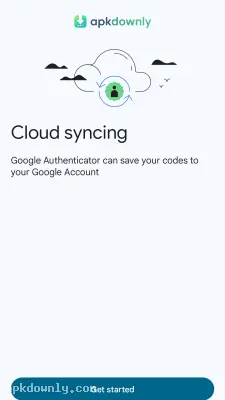

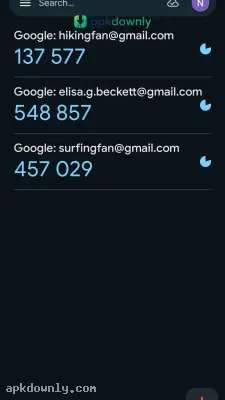

Screenshots from Google Play
More in Tools
View all →


About this app
Google Authenticator
Google Authenticator gives your personal profiles a second wall of defense against unauthorized logins. It spits out a random six-digit sequence that you have to punch in right after entering your password. Getting the Google Authenticator APK is the best move if you want to lock down your personal emails and social networks today. You hook it up to services using two-factor authentication. An exposed password is useless to an attacker because they cannot get past the security screen without the live number showing on your mobile screen.
How to Set Up Your Security Codes
Setting up a new account takes seconds. You open the security settings on a website and choose the authenticator app option. The site shows you a square QR code. You point your phone camera at your computer screen to scan it. The app immediately adds the site to your main list and starts generating a new six-digit number.
The security digits refresh around the clock. A tiny countdown circle beside the numbers counts down the remaining seconds before they vanish. Do not worry if the clock reaches zero while you are typing. The characters switch to red and a completely fresh code takes over. Just wait for the fresh code and try again. And it works completely offline. You don’t need a cell signal or Wi-Fi to get the numbers.
Cloud Sync and Privacy Features
Older versions of the app kept your data stuck on one device. Losing your phone meant days of trying to recover locked accounts. Now the app backs up your codes straight to your main Google profile in the cloud. If you drop your phone in a lake, you simply log in on a replacement device. All your saved accounts populate automatically.
You can easily keep your long list of accounts organized. Holding down on a specific code lets you drag it up or down your screen. This keeps your most used logins at the top. Swiping an entry to the side lets you change the label if the original name is messy or unclear.
You can still migrate accounts by hand without using cloud storage. The tool lets you choose individual logins and packages them into a single export barcode. You scan that image with your new device to transfer everything instantly. The app also includes a Privacy Screen option. Turning this on requires a fingerprint scan or PIN code every time you open the app. This stops friends from snooping at your screen and seeing your private access codes.
How to Install the Google Authenticator APK
Getting this app on your Android device takes just a minute. Here’s how to get started.
- Save the APK file to your phone's storage from a reliable website.
- Go into your Android system settings and open the security or privacy section.
- Switch on the setting allowing installs from third-party sources.
- Launch your device file manager and tap on the package you downloaded.
- Tap through the install button prompts on your display until the setup finishes.
Launch the application from your home screen and hit the plus button to scan your first code. Grab the Google Authenticator APK today to start locking down your digital life. Always keep a physical copy of your backup passwords in a safe drawer.





