

Get this app from Google Play Store for automatic updates & security. Use APK if Play Store is unavailable in your region or you need an older version.
Screenshots

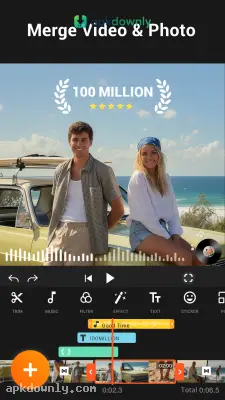



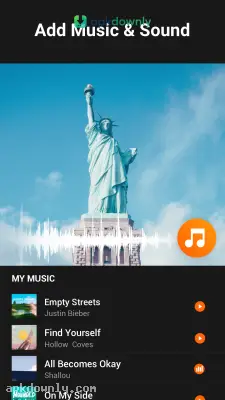
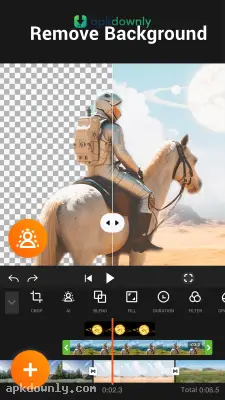

Screenshots from Google Play
More in Video Players & Editors
View all →


About this app
YouCut
YouCut is a free mobile app for editing videos right on your phone. Most mobile video tools force you to pay if you want to export a clean file. This software gives you a professional timeline and exports with no watermark on your final project. Getting the YouCut APK opens the full collection of editing tools right away. Clips can be merged, text added, and playback speed adjusted entirely from a touchscreen.
Why People Choose This Free Video Editor
Mobile editing apps usually fill your screen with banner ads while you try to work. YouCut skips that completely. The workspace stays clear so the multi-layer timeline stays easy to see. Video tracks, audio clips, and text layers can be stacked together. And no pop-ups break your focus.
But it also handles heavy files effectively. High-definition video is supported, and final projects can be exported in full 4K. That means your video uploads stay crisp. File size is reduced significantly while visual quality stays intact, which helps free up storage space on your device.
Top Tools Inside Your YouCut APK Download
You get a massive toolkit for slicing and styling your footage. These are some of the concrete options for fixing your videos:
- Trim and Split: Boring sections of a clip can be removed quickly. The slicer tool turns one long take into several shorter segments.
- Speed Control: Videos can be slowed or sped up. Playback can be set anywhere from 0.2x up to 100x.
- AI Auto Captions: Subtitles no longer require typing by hand. The speech-to-text tool listens to the audio and generates accurate captions automatically.
- Background Removal: A video’s background can be cleared in a single step. It can then be replaced with a solid color, blurred, or swapped for a different image.
- Music Library: Audio tracks can be added directly inside the app. Music can be pulled from other videos in your gallery, or the original clip’s volume can be changed.
- Formatting and Ratios: Videos can be cropped to suit different platforms. Aspect ratios can be set to 1:1, 16:9, or 3:2 so the project fits any screen correctly.
How to Install the App and Start Editing
Installing the editor on your device takes just a few minutes. Follow these steps to build your first project:
- Find the file: Look up the app in the Google Play Store. When the main store is unavailable, download the latest YouCut APK from apkdownly.com.
- Install the program: Open the downloaded file. If unknown sources are disabled, you may need to enable it in your device’s settings.
- Launch the application: Tap the big plus button on the app’s interface. Then select the video clips and pictures you want to use for your project.
- Edit the content: Drag and drop the media files on the timeline, and tap the video/picture to edit the trimming, colors, or add effects with a few taps on the left panel.
- Export the video: Save the edited files as a new project by pressing the export button on the top panel and selecting the needed resolutions/FPS.
Make sure YouCut APK is always updated to the latest version to gain access to the newest AI technology and soundtracks.





