

Google Photos
Get this app from Google Play Store for automatic updates & security. Use APK if Play Store is unavailable in your region or you need an older version.
Screenshots




Screenshots from Google Play
More in Photography
View all →


About this app
Google Photos
Google Photos is a powerful photo management and cloud backup app that securely organizes your images online. Whenever you snap a photo, it quietly syncs the file to your Google account in the background.
Most phone cameras capture large files that fill up your local storage fast. The Google Photos app fixes this by acting as a giant digital shoebox. There’s no need to connect your phone to a computer for transferring photos anymore. It uses Wi-Fi or mobile data to handle your photo backup quietly in the background. We test many gallery tools at apkdownly.com, and this one stands out because it takes the manual work out of managing your memories.
Key Features of the Google Photos App
This tool does much more than just display your camera roll. Here is what you can do with it.
Find Pictures Fast:
Looking through thousands of photos to locate one particular receipt can waste a lot of time. The search feature allows you to enter precise keywords for what you’re seeking. Simply type terms like “dog,” “beach,” or “pizza,” and it instantly displays all related images. It even groups pictures of the same people together automatically. You can tap on a friend’s face and see every picture you have taken with them over the years.
Free Up Phone Space:
Running out of storage is a huge annoyance. Once your images are safely backed up to cloud storage, the software can delete the local copies from your device. You just tap a button in the settings. This clears gigabytes of space instantly. Now you have room to download new games or record long videos.
Edit Your Shots:
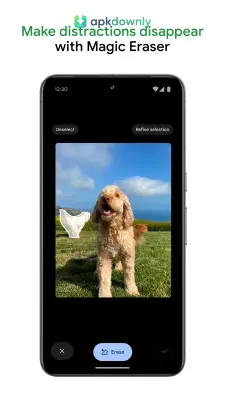
There’s no requirement for an extra editing app to correct poor lighting. The integrated editing suite enables you to tweak brightness, remove unwanted people, and add color filters. It offers specific sliders to make the sky bluer or fix skin tones. Some devices also get access to the Magic Eraser tool. This lets you circle background trash cans or power lines and delete them from the image completely. The software fills in the blank space so no one can tell you edited the photo.
Relive Past Events:
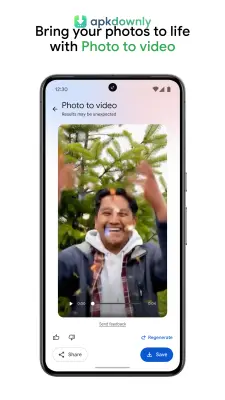
The application creates automatic slideshows from your older pictures. It pulls up photos taken on the exact same date a year or five years ago. You see short video highlights with background music generated by the software.
Share Albums with Family:
Sending fifty pictures through a text message ruins the image quality. You can create a shared album instead. Add your vacation pictures to the folder and send a web link to your family. They can view the files and upload their own pictures to the same folder.
How to Get Started
Setting this up requires a few quick steps.
- Download the file from our site. The APK file size is roughly 100 MB, so it’s best to use a Wi-Fi connection to avoid using up your mobile data.
- Locate the downloaded APK and open it to begin the installation process.
- After installation, open the app and log in using your regular Google account credentials.
- Enable the backup and sync feature. You have the option to upload photos in full original quality or select a space-saving compressed version.
- Let the app scan your current gallery. The initial backup process can take some time if your camera roll contains a large number of photos.
Make sure to verify your available cloud storage quota before transferring large 4K video files with the Google Photos app.





