

PixelLab
Get this app from Google Play Store for automatic updates & security. Use APK if Play Store is unavailable in your region or you need an older version.
Screenshots




Screenshots from Google Play
More in Photography
View all →


About this app
PixelLab
PixelLab is a mobile photo editor built specifically for adding text to your pictures. Most default phone galleries give you two boring fonts and zero control over where the words go. This app actually solves that problem. You can put together fresh graphics, funny memes, and video cover images directly on your mobile display. The app works just as well for pasting a short joke over a picture as it does for designing heavy social media banners. The PixelLab APK skips the confusing menus you normally see in heavy desktop software.
The screen layout stays completely out of your way. You pull a photo from your gallery, and a clean bottom menu holds all your text tools. You can twist words around a circle or stretch the spacing between specific letters. You can even fill a font with a picture texture instead of a solid color. And it includes a dedicated alignment tool. That feature locks your sentences right into the middle of the canvas automatically. You get the right options to stack several text layers on top of each other without creating an ugly final result.
Key Features Inside the PixelLab APK
The developers ignored basic photo filters completely. They put all their time into the text tools.
- Custom Fonts: The app comes with dozens of built-in font styles. But you can also load your own custom font files into the system. This helps you copy a very specific corporate style or personal watermark perfectly. You simply move your own font files into the correct folder on your device, and they show up instantly in the editor.
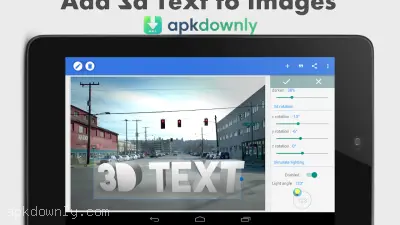
- 3D Words: You can take standard flat lettering and push it out into a three-dimensional block. The menu gives you direct sliders to move the shadows around and fix the lighting strength. This helps the text look natural against your background.
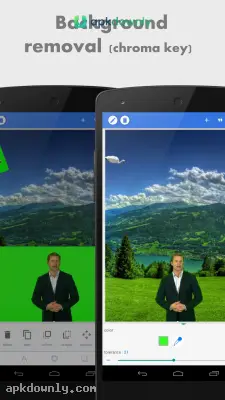
- Background Removal: You can erase solid colors behind an object using the built-in cutout tools. You only need to touch the exact color you want gone and drag a slider to remove the surrounding edges. This keeps you from downloading completely separate cutout tools just to make a transparent background.
- Built-In Assets: The shape menu gives you access to empty boxes, pointing arrows, and chat bubbles. You can easily warp and paint these basic pieces to design your own custom icons.
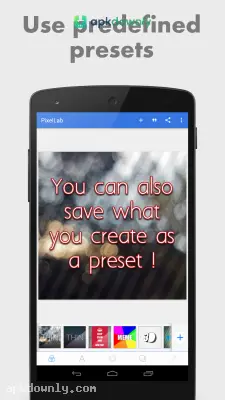
- File Saving: You can store your current work screen as a complete template. If you design a layout for a daily post, you can load that exact file tomorrow and just change out the bottom photo. Your lettering remains in the exact spot you put it. This prevents you from doing the exact same spacing adjustments every time you open the app.
- Direct Drawing: You can use a digital pen to write or draw freehand over your picture. Your drawings behave just like stickers. You can resize or duplicate them after you finish the sketch.
How to Install the App
Getting this photo editor running on an Android device takes just a minute.
- Grab the download. Pick up the latest file version from a secure site and place it in your downloads folder.
- Change permissions. Go to your device security menu and give your browser permission to install outside files.
- Start the install. Press the saved file in your storage and let Android finish the setup process.
- Select an image. Open the app and grab a picture from your camera roll, or choose an empty background to start fresh.
- Add your words. Press the text button, type out your message, and play with the paint and spacing options.
Make sure to save your work as a full project file inside the PixelLab APK before you export the picture, just in case you spot a typo later.





