

Get this app from Google Play Store for automatic updates & security. Use APK if Play Store is unavailable in your region or you need an older version.
Screenshots
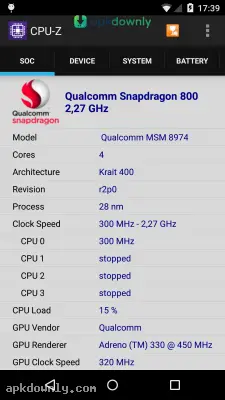
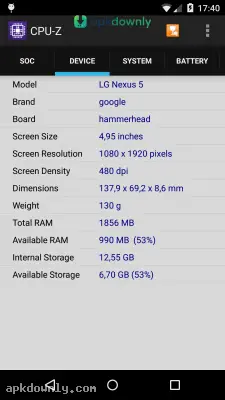
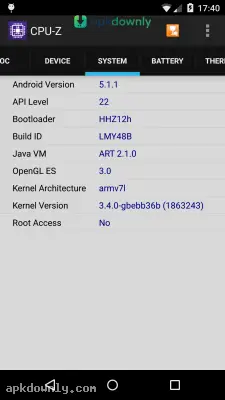
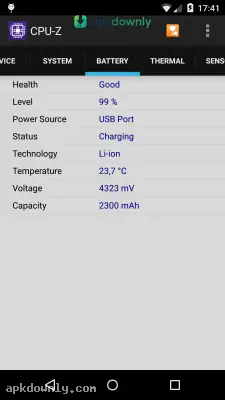
Screenshots from Google Play
More in Tools
View all →


About this app
CPU-Z
Sometimes you buy a new phone and want to verify you actually got the RAM and processor you paid for. A CPU-Z APK download gives you exactly that information. Created by CPUID, the same team behind the popular PC version, this simple tool reads your device's internal hardware. It gives you the raw data about what's running beneath the screen.
What the App Offers
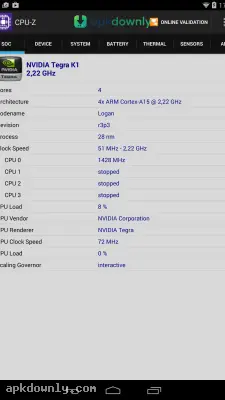
The application breaks down your system specifications into clean, organized tabs. The first thing you see is the SOC screen. This stands for System On Chip. The app shows your exact processor model, its architecture, and the live clock speed for each core. You can see those numbers shift as your phone works harder.
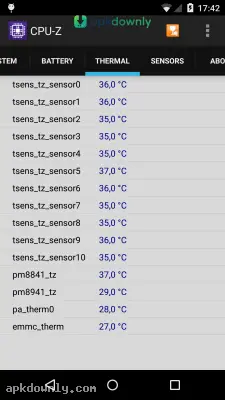
It also gives a closer look at your battery health. Instead of just showing a basic percentage, the battery tab tells you the exact temperature in degrees. It displays the voltage and total capacity. If your phone gets uncomfortably hot while gaming, you can open this tab to see exactly how high the internal temperature is spiking.
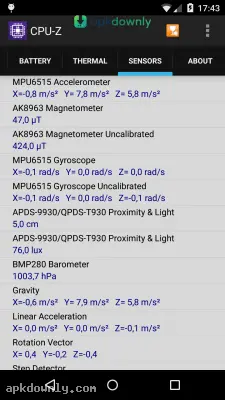
And it does all this without demanding root access. Many hardware monitors require you to modify your phone's deepest security permissions. This app simply pulls the available sensor data without asking for unnecessary rights. You will also find a dedicated sensor tab. This screen shows readings from your gyroscope, accelerometer, and light sensors, with the raw numbers changing as you tilt or move the phone.
Checking System Information
Beyond the physical chips, the app also looks at your software environment. The System tab tells you your precise Android version, API level, and system uptime. It even displays your device's brand manufacturer and bootloader version. This helps developers who need to know the specific environment their test phones are running on, or regular users trying to find their exact firmware build.
Spotting Fake Devices
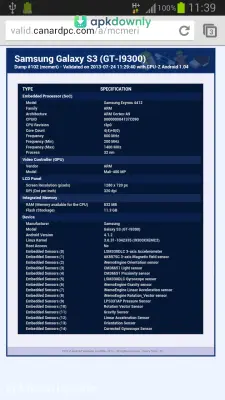
Counterfeit phones can look just like premium ones on the outside. But the internal parts tell a different story. Some fakes show fake numbers in the settings menu, claiming 12GB of RAM and a top processor. This app reads the actual hardware, so it shows what’s really there. You can check the screen resolution, usable RAM, and chip model against the official specs online. If the numbers don't match, you likely have a clone.
Key Features You Get
Here is exactly what this hardware scanner tracks on your device:
- Processor Data: See your exact chip model and live core speeds.
- Device Specs: Check the real screen resolution, total RAM, and free storage.
- System Info: Confirm your Android version and how long the system has been running.
- Battery Health: Track live battery temperature, voltage, and status.
- Sensor Readings: Watch live inputs from your device's internal motion and light sensors.
How to Start Your CPU-Z APK Download
Installing this diagnostic tool only takes a short time. Here’s how to set it up and check your specs.
- Download the installation file from a trusted source like apkdownly.com.
- Open your Android security settings and allow installs from unknown sources.
- Tap the downloaded file to start the install.
- Open the app and give it a few seconds to scan your system.
- Swipe left or right on the top menu to move between the hardware tabs.
Download the CPU-Z APK and check your battery health now and then as the phone gets older.



