
Android Accessibility Suite
Get this app from Google Play Store for automatic updates & security. Use APK if Play Store is unavailable in your region or you need an older version.
Screenshots
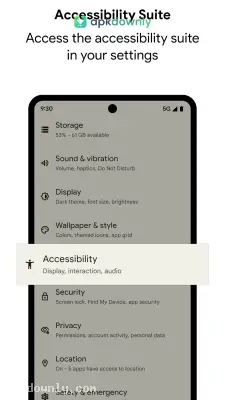
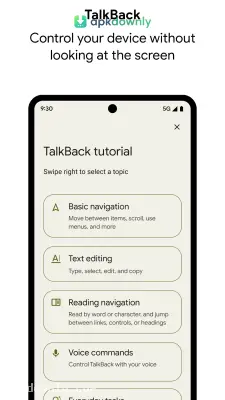
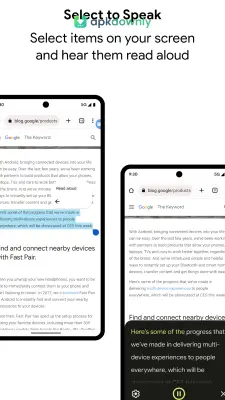

Screenshots from Google Play
More in Tools
View all →


About this app
Android Accessibility Suite
Smartphones aren't always easy to operate. Getting the Android Accessibility Suite APK gives you official Google tools that completely change how you interact with your screen. Sometimes tapping a tiny icon feels frustrating. Or reading small text gives you a headache. You can fix those problems by changing the basic rules of your interface. You can force the device to read web pages aloud or accept inputs from a separate Bluetooth clicker. These tools stay hidden in your system settings until you actually need them. And they work perfectly across all your downloaded apps.
Best Features on Your Device
This package drops several different tools into your settings menu. Here is what you can turn on:
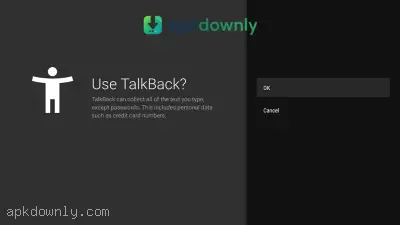
- TalkBack Screen Reader: This completely changes how you touch the glass. You drag your finger around, and the phone reads aloud whatever you touch. You learn to navigate by sound. But you have to double-tap to actually open an app. That stops you from accidentally calling someone while feeling around the screen. It even includes a hidden braille keyboard. You can type text messages much faster once you learn the layout.
- Select to Speak: Reading long articles hurts your eyes after a while. This tool drops a little button on your screen edge. You tap it, drag a box over a paragraph, and a voice reads those specific words to you. It works great for long news stories or busy websites. You don't have to leave the full screen reader on to use it.
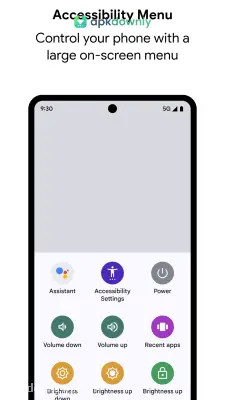
- Accessibility Menu: Physical volume and power buttons get stuck over time. Reaching the top of a large screen to pull down your notifications is annoying. Turning this on gives you a giant on-screen menu with oversized buttons. You can take screenshots, change your brightness, and lock the phone with simple taps.
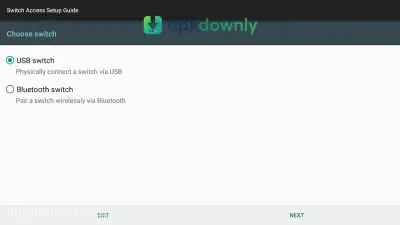
- Switch Access: Some people cannot physically hold a phone. This tool lets you connect a Bluetooth switch or a wired keyboard to control everything. A colored box jumps from item to item on your screen. You just hit your physical switch when the box lands on the app you want to open. You can even assign multiple switches. One button scrolls down the page, and another button clicks the screen.
- Display Tweaks: You get direct control over how the screen looks. You can enlarge the global font, turn on a digital magnifier to zoom in on pictures, or strip away all the screen animations if they make you dizzy.
How to Install the Android Accessibility Suite APK
Many phones come with an older version of these tools already installed. Installing this file gives you the most recent bug fixes. You won't see a new app icon on your home screen when it finishes.
- Go to your phone settings and open the Security or Privacy tab.
- Turn on the permission to "Install Unknown Apps" for your web browser.
- Tap the download link on this page to grab the installation file.
- Find that downloaded file in your storage and tap it to start.
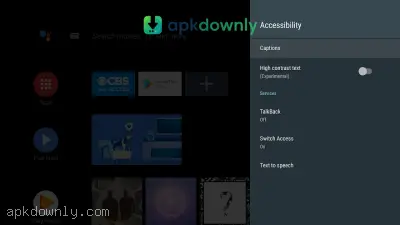
- Open your main settings again, scroll down to Accessibility, and turn on the specific tools you want.
Make sure your media volume is turned up high before you turn on TalkBack in the Android Accessibility Suite APK so you actually hear the navigation instructions.