

Google Messages
Get this app from Google Play Store for automatic updates & security. Use APK if Play Store is unavailable in your region or you need an older version.
Screenshots
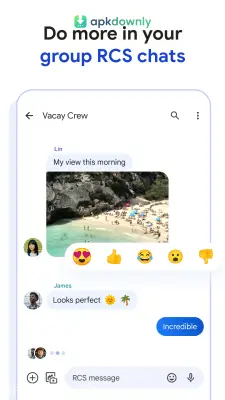
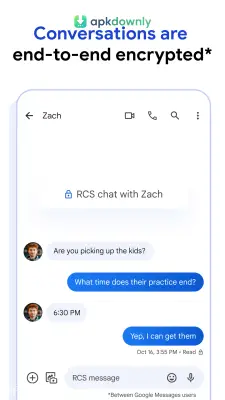
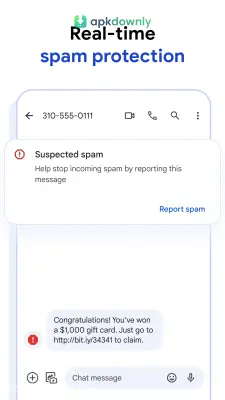
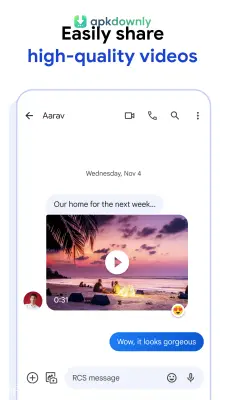

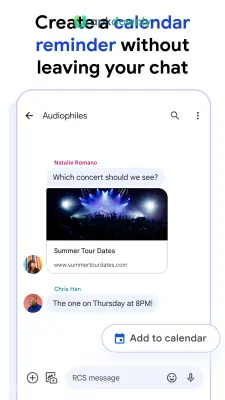
Screenshots from Google Play
More in Communication
View all →


About this app
Google Messages
Google Messages is the default texting app from Google. Your phone probably came with a basic texting app already installed. But getting the Google Messages APK can give your daily conversations a serious upgrade. It handles your standard cellular texts just fine. It also brings modern RCS messaging to your standard inbox. This means your regular texts start acting more like an internet chat application.
Your phone manufacturer might have included their own basic texting software. Those factory apps usually lack modern tools. Switching to this SMS texting app fixes those annoying limitations. You stop worrying about blurry videos and short character limits.
Key Features of the Google Messages APK
This app changes how you talk to your friends and family. It adds a few practical features to your daily text threads.
- Read receipts and typing alerts: You never have to guess if a text went through. The app shows you exactly when they open the message. It even displays a tiny typing animation when they start writing back.
- High-quality sharing: Standard texts ruin picture quality. It sends your media over Wi-Fi and mobile data instead of regular cell service. This lets you send full group photos and long video clips without the system shrinking them into blurry messes.
- Automatic spam blocking: Junk texts happen all the time. The app scans for shady links and fake delivery alerts, sending them straight to a spam folder before they ever hit your main inbox.
- Web texting: You can text from your computer. You just scan a QR code using your laptop browser. Then you can type out long replies on your computer keyboard while your phone sits on the charger.
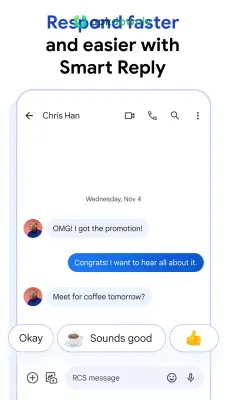
- Quick suggestions: The app reads the context of your chat and offers one-tap replies. If someone asks to meet up, you can just tap a pre-written "Sounds good" button instead of typing it out.
How to Set Up the App
Getting things running takes maybe two minutes. Here is how to install it and turn on the best chat features.
- Download the file from apkdownly.com directly to your Android device.
- Tap the downloaded file in your notifications to run the installer.
- Open the application and press the button to make it your default messaging app.
- Tap your profile icon in the top right corner of the screen.
- Go to your settings and select the RCS chats option.
- Flip the toggle switch to verify your phone number and connect. It usually takes a minute to finish verifying. You will know it works when your outgoing text bubbles change to a dark blue color.
Grab the Google Messages APK today and set up your computer browser to start texting from your desk.





