
Nokia Camera
Get this app from Google Play Store for automatic updates & security. Use APK if Play Store is unavailable in your region or you need an older version.
Screenshots
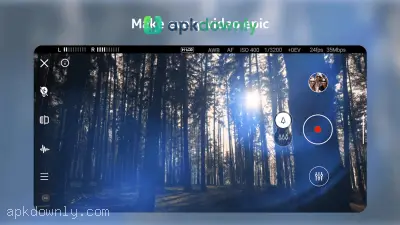
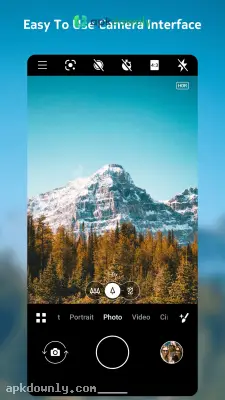
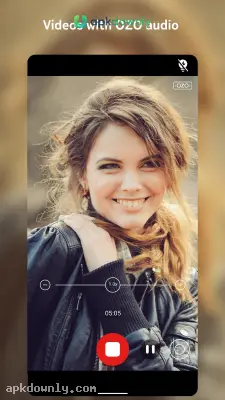
Screenshots from Google Play
More in Tools
View all →


About this app
Nokia Camera
Most phones' default camera app just points and shoots. But sometimes you want actual control over how your photos turn out in bad lighting. The Nokia Camera APK gives you tools to manually adjust focus and shutter speed. You can install it right here to upgrade your basic camera app on Android.
And it actually makes taking a good picture simpler. You can skip hunting through five different menus just to change one thing. The layout uses curved rings that overlay right on your screen. You just swipe your thumb along the ring to make a quick adjustment before you press the shutter.
Key Features in the Nokia camera app
This app packs a few specific tools that help you capture exactly what you see. Check out a few of the actual tools included in this version.
Pro Camera Mode: This is the biggest reason people download the app. Swiping up on the shutter button opens the Pro mode. This gives you sliders for your ISO, white balance, and shutter speed. Shooting a dark street at night? Just drag the shutter speed down so the lens takes in more light. And you can manually lock the focus so close-up subjects stay perfectly crisp.
Dual-Sight Pictures: People usually call this the Bothie feature. It activates your front selfie camera and your main back camera at the exact same time. The app splits your screen straight down the middle. This lets you record a video of your face reacting to whatever you are looking at on the other side.
Live Bokeh and Video: You don't have to guess what your portrait shot will look like. The Live Bokeh feature lets you adjust the background blur in real time. You drag a slider to make the background more or less fuzzy before you even take the photo. You also get time-lapse for recording long sunsets, plus a slow-motion option for fast-moving stuff.
Built-in Scanner: Forget downloading a random third-party app just to read a menu. The lens automatically scans QR codes and barcodes. Point your phone at a restaurant menu or a business ticket. It scans the information instantly and lets you copy the text or open a web link.
How to Install the Nokia Camera APK
Getting this on your phone takes a couple of minutes. Because we provide the raw Android package file, the installation process is slightly different than grabbing it from a regular app store.
1. Hit the download link here to grab the APK file.
2. Head into your phone settings and find the security tab.
3. Enable the permission for installing apps from unknown sources.
4. Find the file in your downloads folder and tap it.
5. Open it up and allow access to your camera and mic when it asks.
Taking Your First Picture
Give yourself a second to look at the layout. You can switch between video, normal photos, and panoramas using the text at the bottom.
Grab the main shutter button and swipe it up. This opens the manual camera controls. Spin the focus ring a bit to watch the background blur out or sharpen up. Drag the exposure ring around to fix the brightness. Once you know what those rings actually do, your photos start coming out exactly how you pictured them.
Just check back here occasionally to keep your Nokia Camera APK updated so the lenses load without freezing.