

Get this app from Google Play Store for automatic updates & security. Use APK if Play Store is unavailable in your region or you need an older version.
Screenshots





Screenshots from Google Play
More in Social
View all →


About this app
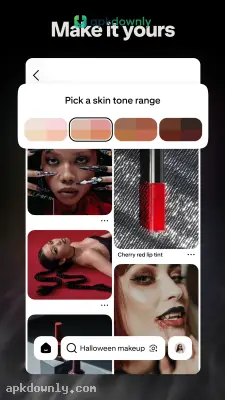
Pinterest functions as a digital bulletin board. Millions of people use it to gather pictures and videos of future projects. You can search for almost anything. Maybe you want to build a new deck. The platform has thousands of blueprints and design photos for that exact job. And unlike other social networks, you don't use this app to check on your friends or argue about news. You use it to find things for yourself. Securing the Pinterest APK download puts this massive catalog of inspiration directly on your Android phone. The algorithm pays close attention to what you save over time. It then shifts your feed to match your current interests. If you search for hiking gear on Tuesday, you will see more tents and boots on Wednesday.
What the App Actually Does
The core concept revolves around saving images as "pins." When you spot a photo you want to keep, you pin it to a "board." These boards act as digital folders. You decide how to sort them. You might build one board for winter coats and another entirely for vegan baking. Users keep their boards private or leave them open for public viewing. You can have dozens of different boards running at the same time. Many people use them to plan weekly meals, saving recipes so they don't have to think about dinner after a long day at work. It creates a calm corner of the internet where you just gather things you genuinely like.
Core Features in the Pinterest APK Download
The platform offers a few distinct tools to help you track down specific items quickly.
Visual Search
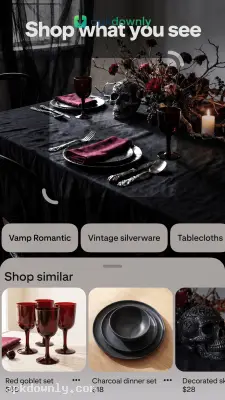
Sometimes you don't know the right words to describe what you want. Pinterest solves this problem. If you are looking at a picture of a bedroom and like the rug, you just tap the visual search icon on the rug itself. The app immediately finds similar rugs. It often links directly to online stores selling them.
Pinterest Lens
This feature turns your phone camera into a search bar. Point your camera at a strange vegetable at the grocery store or a pair of sneakers on the street. The app identifies the item and shows you recipes or shopping links matching what it saw.
Shared Boards
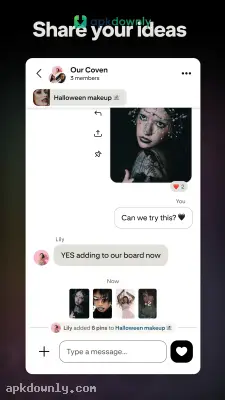
You can invite other people to pin items to your folders. This helps couples planning a wedding or friends setting up a camping trip. Everyone adds their own ideas to one central location. It saves you from texting a dozen different links back and forth. You just check the board to see what everyone else found.
Getting Started with the App
Getting your profile set up is incredibly quick and easy. Here's how to do it in just a few steps:
- Install the app on your Android phone and open it
- Log in using your email or Google profile
- Choose 5 + topics of your choice, and the app will personalize your own Pinterest feed based on your selection.
- Save the images that catch your eye by clicking the red Save button.
- Make a name for your first board that has your saved items and continually add to it when you find something new that you'd like to save.
Curating Your Personal Space
Scrolling through the feed gives you a sense of getting things done. You can map out a full home renovation or just find a five-minute daily workout. Store owners connect their catalogs directly to the images. But the app never forces you to buy anything. The Pinterest APK download gives you a highly organized space for all your upcoming plans. Get the app installed today and start pinning ideas for your next big project.





