

Get this app from Google Play Store for automatic updates & security. Use APK if Play Store is unavailable in your region or you need an older version.
Screenshots

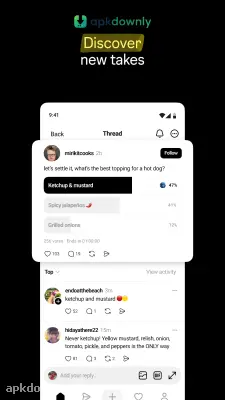
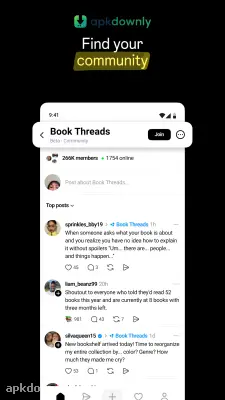


Screenshots from Google Play
More in Social
View all →


About this app
Threads APK
Threads is a text app built by the team behind Instagram. It gives you a space to post short updates and read what other people are talking about. You don't have to build a new friend list from scratch. It pulls your current Instagram connections right over. Lots of people look for the Threads APK to bypass store waits and get the newest version on their Android phones.
What You Get With the Threads APK
The main focus is text. But you can definitely share media too. You just scroll a feed filled with short thoughts, photos, and videos. Your text posts have a limit of 500 characters. You can paste web links and attach up to 10 photos in one go. And videos can run up to five minutes.
The big draw here is that Instagram connection. You log in with your normal username. Everything carries over without any extra steps. You keep your handle, your profile picture, and even your verified badge. It saves you the trouble of hunting down your friends one by one. If you block an annoying account on Instagram, they stay blocked here too.
Features Inside the Instagram Text App
The layout is pretty bare. A bar at the bottom holds a few icons. You have your home feed, a search magnifying glass, a button to write a post, your notifications heart, and your profile picture.
Posting feels normal. Every update has buttons underneath it. You click them to like, comment, repost, or share. You can quote someone else to add your own spin before sharing it. The share menu also packs a handy button. It sends a thread straight to your Instagram Story. That helps you show your thoughts to a totally different crowd.
You also get tight control over who talks to you. Before you publish an update, you decide who gets to reply. Let anyone jump in. Or limit it to people you follow. You can even lock it down so only the specific accounts you mention can respond. This helps keep spam away from your posts.
Finding stuff is easy. You type a word, and the app hands you relevant posts instead of just user profiles. The activity tab handles the noise. It sorts your alerts into distinct groups. You see replies in one spot and mentions in another.
You get two ways to look at the main screen. The standard "For You" feed mixes your friends with random accounts the app thinks you want to see. Tap the home icon at the very top. That switches you to a chronological "Following" feed showing only the people you actually chose.
How to Set Up the App on Android
Setting this up takes about a minute. Here is exactly what you do.
- Download Threads to your phone and tap the file to open it.
- Hit the "Log in with Instagram" button at the bottom of the screen.
- Type in your security code if you use two-factor authentication.
- Write a new bio or tap "Import from Instagram" to copy your old one.
- Pick between a public or private profile.
- Look at your Instagram friend list and tap "Follow all" to add them here.
The team updates the app often to patch bugs and add new tools. Check your device storage to make sure you have enough room for the installation. Grab the newest Threads APK file to install the update and start posting.





