

PhotoRoom
Get this app from Google Play Store for automatic updates & security. Use APK if Play Store is unavailable in your region or you need an older version.
Screenshots



Screenshots from Google Play
More in Photography
View all →


About this app
PhotoRoom
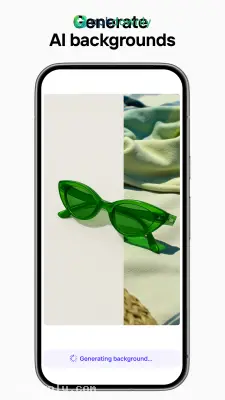
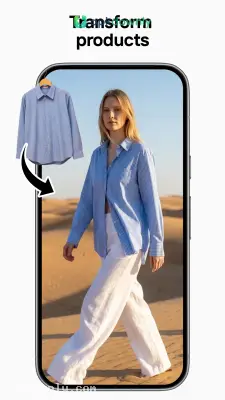
PhotoRoom is an image editing app made for cutting out subjects and changing backgrounds. Take a quick photo of a product, and the app separates it from whatever is behind it almost right away. A lot of people use it to run online shops straight from their phones. Even a messy bedroom can look like a proper product studio in no time. Clean photos matter when you’re listing clothes on local marketplaces or updating a business profile picture. The PhotoRoom APK lets you create good-looking images without ever opening a computer. You no longer need pricey design software just to get a plain white background. The software takes care of the slow, careful clipping work on its own.
Core Features of the PhotoRoom APK
The menus stay simple so your camera and gallery stay front and center. Pick a picture and the app does the rest.
Automatic Background Removal
The scanner checks the photo and picks out the main subject. It removes the person or object in just a few seconds. You don’t have to trace anything with your finger. Even tricky parts like loose hair or fuzzy sweaters come out clean without jagged edges.
Ready-to-Use Templates
Starting from nothing takes time. The editor comes with thousands of templates already sized for different platforms. There are ready layouts for Instagram stories, eBay listings, and YouTube thumbnails. Drop your cut-out subject onto one, and it resizes itself. You stop having to crop everything over and over to make it fit.
Shadows and Reflections
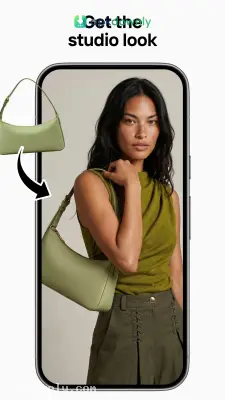
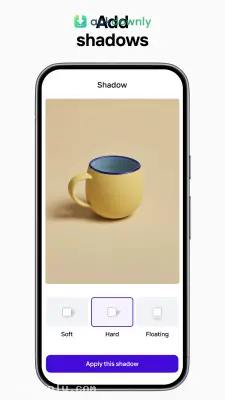
A cut-out item sitting on a flat color often looks fake. The app lets you add soft shadows and ground reflections under the object. A simple slider controls how dark or soft the shadow looks. Product photos end up looking like they were taken in a real studio.
Batch Photo Processing
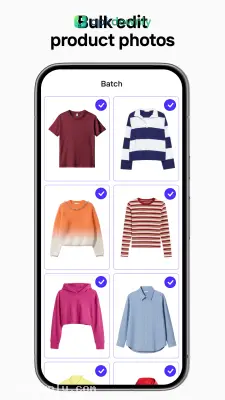
Editing one shirt only takes a few seconds, but fifty shirts take forever. The batch editor lets you select a big group of photos at once. It applies the same background removal and template settings to every image. That saves hours when you have a large inventory to post.
How to Install and Use This Background Eraser App
Setting up the app on Android only takes about a minute. You can start editing right away.
- Download the installation file from our secure link.
- Open your Android settings and tap the security tab.
- Enable the setting to install applications from outside sources.
- Tap the downloaded file to start the installation.
- Open the app and tap the main plus icon to select a picture from your camera roll.
- Give it a few seconds to scan the image and clear the background.
- Choose a solid color or a template, then save the finished image to your phone gallery.
The free version puts a small watermark at the bottom of the finished images. You can usually crop it out later in your phone’s gallery app if you place the subject a bit higher on the canvas. Good lighting on the subject helps the cutout tool work cleanly the first time you open the PhotoRoom APK.





