

SimCity BuildIt
Get this app from Google Play Store for automatic updates & security. Use APK if Play Store is unavailable in your region or you need an older version.
Screenshots

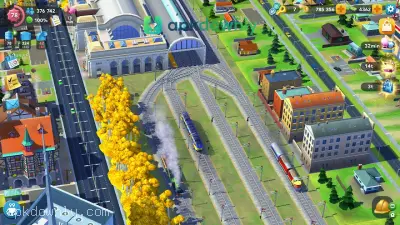

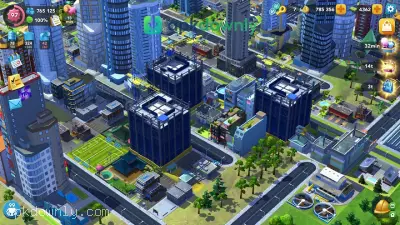



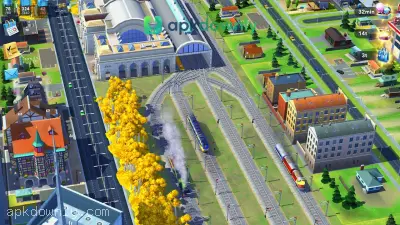
Screenshots from Google Play
About this app
SimCity BuildIt
SimCity BuildIt hands you the keys to an empty plot of land right off a busy highway. It's your job to turn that grass into a real town. You sketch out the first few streets, drop down some houses, and get your factories running.
If you download the SimCity BuildIt APK, your main job is keeping the people who move into your town happy. When they are happy, they pay daily taxes. You use those taxes to expand the city limits and buy better emergency services.
It sounds easy at first. But a town needs a lot of constant upkeep to survive. Once your population spikes, the complaints roll in. People hate sitting in traffic, and they hate it even more when the garbage trucks stop showing up.
What to Expect in the SimCity BuildIt APK
Keeping a city from falling apart means juggling a bunch of moving pieces.
- Managing Services: A house is useless without power and water. When your town gets bigger, you have to build massive water pumps and lay down power lines. Soon enough, you'll be stressing over clogged sewers and overflowing landfills.
- Producing Materials: You need factories to make the heavy stuff like steel, wood, and plastic. But factories spit out nasty brown smoke. You have to shove them far away from the nice neighborhoods.
- Crafting Items: You take those raw materials to commercial buildings. A supply shop turns raw steel into usable nails. A garden shop turns basic seeds into vegetables people actually want to buy.
- Trading with Others: The game hooks you up to a real player market. If your hardware store cannot produce hammers fast enough, you can visit the Global Trade HQ. You buy the items you need from other players. You can also list extra materials in the Trade Depot to make a quick profit.
- Specialized Buildings: To boost your population, you have to give people things to do. You can place large parks, public schools, and bus terminals. These buildings make the surrounding neighborhoods more desirable.
How to Get Started as Mayor
Laying out streets and homes just takes a quick drag of your finger.
- the street icon and draw a line across the grass to pave a new road.
- Select the residential zone icon. Drop a blank residential zone right next to your new street.
- Click the yellow hard hat hovering above that plot to check which supplies are required.
- Head over to your industrial zone and drag the timber or steel icon onto a building to begin crafting.
- Wait for the factory to finish, tap the materials to collect them, and return to the housing plot.
- Drag the collected materials onto the house to upgrade it. The building will instantly grow taller.
- Watch the green face icon near the top of your display. If it falls under 100%, click it to find out
why your people are upset. Keeping the City Running
Planning ahead matters a lot when your city gets bigger. One small wind turbine easily runs a few homes. But a whole block of glass towers needs a huge coal facility or a large solar setup.
And you cannot just place buildings randomly. People refuse to live next to noisy, smoking factories. You have to design your layout carefully. Most mayors group all the heavy industry in the furthest corner of the map, far away from nice neighborhoods. You can pick up and move a building without spending coins, but shuffling a whole district is a hassle.
Check the Trade Depot often to sell your extra supplies before you open the SimCity BuildIt APK to expand your roads.





