

Meitu
Get this app from Google Play Store for automatic updates & security. Use APK if Play Store is unavailable in your region or you need an older version.
Screenshots

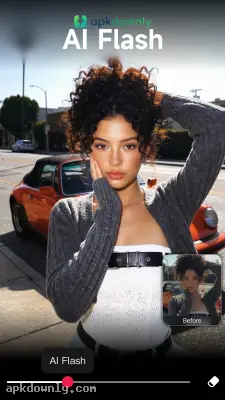


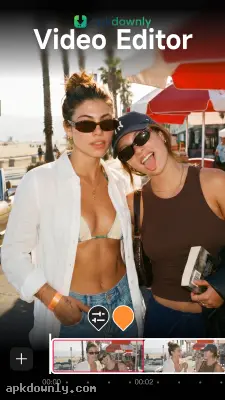
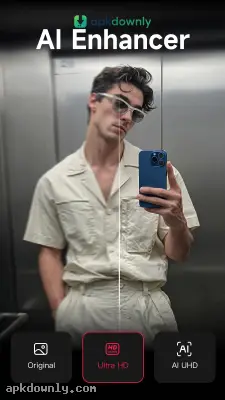

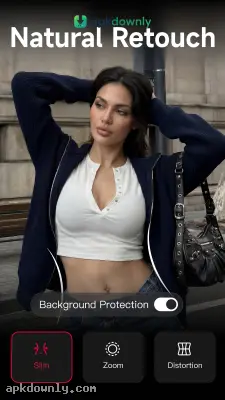
Screenshots from Google Play
More in Photography
View all →


About this app
Meitu
Meitu is a free app for editing photos and videos on your phone. Many people think of it as just a beauty camera. And it does more than just smooth out your skin. You can take a regular selfie and swap the background completely. Or fix a stray hair and add some digital makeup. Getting the Meitu APK lets you skip heavy computer software. You just choose your photo, hit a few buttons, and get a clean picture ready for your social accounts.
Core Features of the Meitu APK
The menu stays out of your way so you can find what you want quickly. You just pick a picture or video clip and get to work.
- AI Object and Background Removal:
Sometimes a trash can or a walking stranger ruins a good picture. The app has an eraser tool to handle those problems. You just swipe your finger over the thing you want gone. It disappears. You can also pull people right out of their original background. A single tap cuts out your subject cleanly. Then you can drop them onto a solid color or a totally different setting.
- Virtual Beauty and Makeup Tools:
The touch-up options go way beyond simple skin blurring. You can slightly change your face shape, brighten your teeth, and hide blemishes in a few seconds. You get a massive collection of virtual makeup to play with too. Test out a different lipstick shade or add a bit of blush. You can even try on colored contacts. The app tracks your facial features so the makeup actually fits your face. It even allows you to change the skin tone for each specific person in a large group photo.
- Fun Art and Anime Filters:
Standard color edits work fine. Then there are the creative filters. You can turn your face into an anime character. The app redraws your photo to look like digital art. And you still get hundreds of regular filters for that old film camera look or a dark movie style.
- Easy Collages and Templates:
Starting from a blank screen takes too much time. This app includes thousands of ready-made templates to help you format your pictures. You choose a layout made specifically for a story post or a wide banner. Pull your pictures into the template boxes, and they resize on their own. You can throw in some text or a few stickers with one tap. This stops you from guessing crop sizes.
- Video Retouching:
Meitu actually lets you use many of its beauty tools on your video clips. You can slim down a subject, fix uneven hair color, or brighten up the overall lighting while the person moves around on screen. You just apply the effect to the whole video at once.
How to Install and Use Meitu
Setting this up on your Android device takes only a few minutes. You can begin fixing your selfies right after installation.
- Download the installation file from our secure link.
- Open your Android settings and tap your security menu.
- Enable the setting to install apps from outside sources.
- Tap the file in your downloads folder to start the installation.
- Open the app and grab a photo from your gallery.
- Pick a feature like the beauty camera or the art generator.
- Save your edited picture directly to your phone gallery.
A lot of the advanced effects require a paid VIP subscription. The free tier still provides enough standard editing tools for daily use. Spend a few minutes playing with the manual sliders inside the Meitu APK to find the right lighting and skin tone.





