
Motion Ninja Video Editor
Get this app from Google Play Store for automatic updates & security. Use APK if Play Store is unavailable in your region or you need an older version.
Screenshots
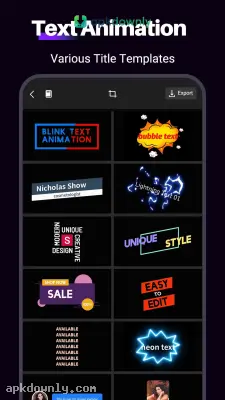
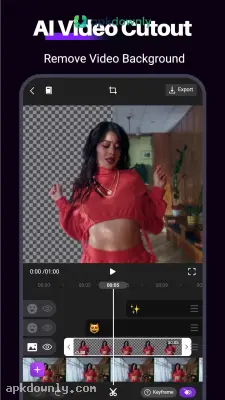
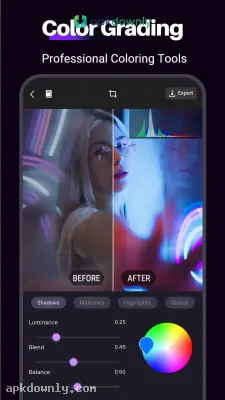
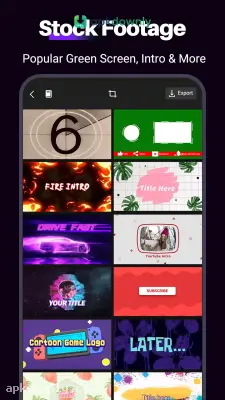
Screenshots from Google Play
More in Communication
View all →


About this app
Motion Ninja
Motion Ninja is a video editing application that puts serious visual effects right on your phone. You probably know the drill with most mobile editors. You trim a clip, add a filter, and that is about it. The Motion Ninja video editor gives you a lot more room to play. You get a full workspace with multiple tracks right on your phone. The controls still feel great under your fingers. You can stack a lot of pictures, clips, and songs, and your phone will handle it fine.
Exploring the interface
Opening a new file is easy if you know the basics of editing. You will see your main clips resting at the bottom of your display. Adding another track takes one tap on the plus button. And the app handles heavy processing surprisingly well.
Timing your cuts to music is usually a headache on a phone. Here, you can stretch out the audio track to see every beat in the sound wave. That helps you land your cuts exactly on a snare drum hit. You can even link several tracks into a single group. This lets you adjust the color on a few specific clips while leaving the others completely alone.
Main Tools in the Motion Ninja App
The creators bypassed basic color filters to build advanced animation options. You get professional features that normally require expensive computer software.
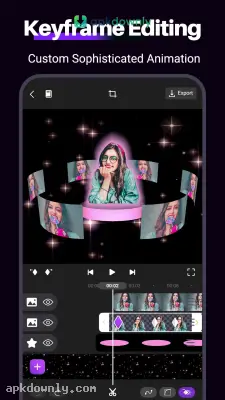
- Keyframe Animation: You can control the exact movement of a graphic. Place some text in the corner, scrub the video forward, and pull the text to a different location. The app creates a smooth motion between those two points on its own.
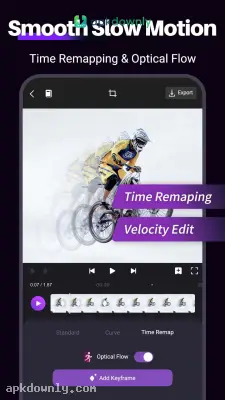
- Smooth Slow Motion: Most phones make slow footage look choppy and bad. Things get very stuttery. The software actually generates artificial images and places them between your real shots. This results in a much smoother final video.
- Green Screen Tools: You can erase solid backgrounds using the chroma key setting. Just touch the eyedropper tool to the background, and the software cuts that color out completely. Then you can insert a different picture behind your subject.
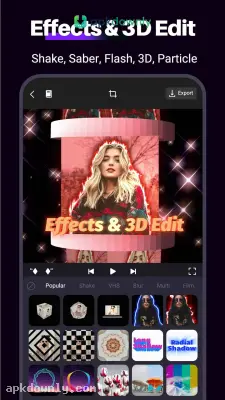
- 3D Camera Tracking: You can design custom three-dimensional scenes. The app lets you arrange text and stickers at different distances. Then you drag a digital camera around them to show actual depth.
How to Edit with the Motion Ninja APK
Opening your first timeline takes seconds. Follow these steps to put a basic video together.
- Create a new project. Tap the start button and pick your screen shape. Choose a wide box for YouTube or a tall frame for TikTok.
- Pull in your media. Tap the videos and photos you want to pull from your phone storage.
- Stack the layers. Drag your extra clips right over the main video track to stack them on the screen.
- Animate an object. Tap a clip and hit the diamond button to give it a starting position. Move your video forward and drag the object to a new spot to make it travel.
- Export the file. Hit the save button. Pick your frame rate and select a resolution up to 4K.
The free version covers all the basics. But it does leave a watermark in the corner of your video. It also blocks some of the highest export settings. Buying the premium tier removes that stamp completely.
Clear out some phone storage before saving a heavy file from the Motion Ninja video editor so the 4K export doesn't randomly fail.





