

Facetune
Get this app from Google Play Store for automatic updates & security. Use APK if Play Store is unavailable in your region or you need an older version.
Screenshots
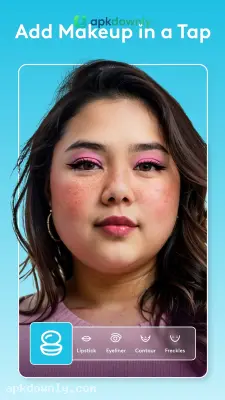

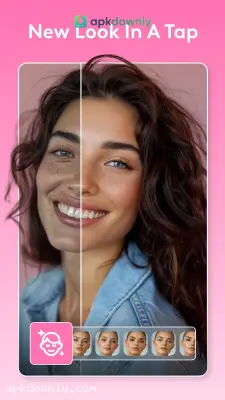
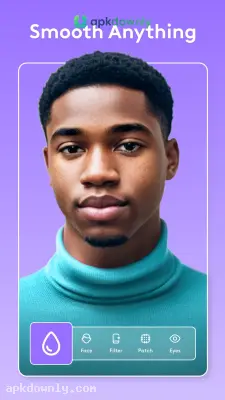
Screenshots from Google Play
More in Photography
View all →


About this app
Facetune
Facetune operates as a fast repair tool for your close-up pictures. Current phone cameras catch every tiny mark, including the pores you never spot in the bathroom. You might get a nice shot in the park, only to find harsh sunlight or a sudden breakout ruined it. The Facetune APK lets you erase those minor issues directly on your Android phone. You skip the heavy desktop software. You just drag your finger over the screen to fix them.
People use this editing tool to whiten teeth, cover up under-eye bags, and adjust background shades before they post a photo. You get to decide exactly how you present yourself before the picture goes live.
Main Tools in the Facetune APK
The mobile version provides very specific tools for portrait photography. This is exactly what you see when you start the software.
Teeth Whitening:
Teeth rarely look perfectly bright on a phone camera. Yellow indoor lights make this even worse. The whitening tool fixes this issue in seconds. You select the tool and drag your finger directly over your smile. The app brightens the teeth instantly. You control the final brightness level. A slider at the base of the screen drops the effect down so your mouth looks completely normal.
Skin Smoothing and Healing:
Bad skin days happen. The smoothing brush lets you rub out red marks, dry areas, and obvious blemishes. It matches the correction directly to your normal skin color. The app leaves your natural pores visible so the final image does not look fake. You can also use a dedicated concealer tool. It works perfectly for hiding dark circles under your eyes after a late night.
Studio Lighting Controls:
Bad lighting ruins more photos than anything else. A heavy shadow across half your face is tough to fix with a basic phone filter. The relight tool acts like a digital ring light that you can move around after you take the picture. You slide a ring around your screen to move the digital light source. This brightens up the dark corners and creates natural shadows under your cheekbones.
Hair and Detail Adjustments:
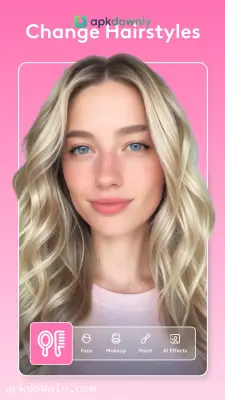
Wind often blows loose hairs across your forehead. The patch feature grabs a piece of your background and pastes it right over the mess. You can even change your hair color entirely. You paint a different tint over your head and dial back the opacity to see if you look better with dark brown hair.
How to Retouch Photos with This App
Getting your pictures ready to post takes very little time.
- Grab the download: Get the Facetune APK from apkdownly.com and open it to begin the installation on your Android phone.
- Choose an image: Launch the application and grant it permission to access your photo gallery. Press a recent selfie to load it onto your screen.
- Apply your first edit: Tap the retouch menu located at the bottom of the screen. Select the smooth brush and rub your thumb over your forehead or cheeks.
- Check the difference: Press and hold the small toggle icon on your screen. This shows your unedited picture so you know you did not make it look artificial.
- Export the picture: Press the save icon at the top of your screen to drop the edited photo straight into your gallery.
Grab the Facetune APK today, load a picture from your camera roll, and test out the relight tool on your face.





