
Termux
Get this app from Google Play Store for automatic updates & security. Use APK if Play Store is unavailable in your region or you need an older version.
Screenshots
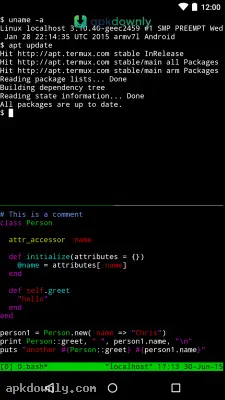
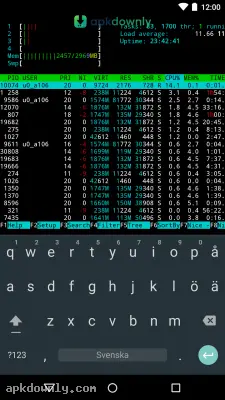
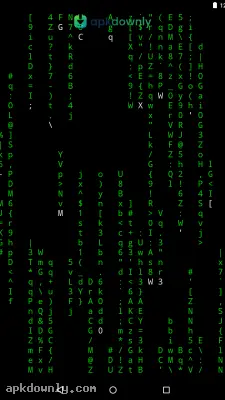
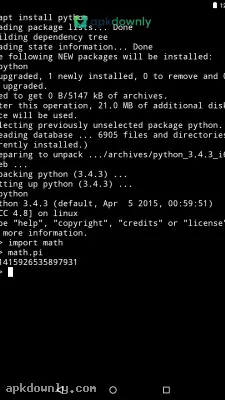
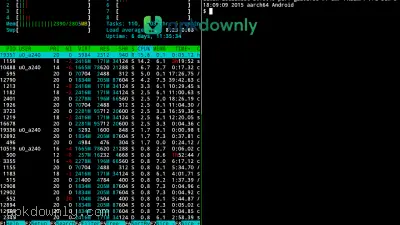
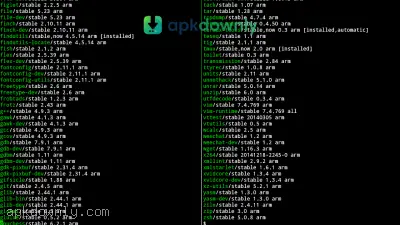
Screenshots from Google Play
More in Tools
View all →


About this app
Termux
Termux is a terminal emulator that brings a standard Linux environment directly to your Android phone. You get a fully functional command line right in your pocket. The core system sets itself up without needing extra scripts. Getting the Termux APK is a smart move for coding, running remote servers, or practicing your programming on the go. It turns a regular smartphone into a portable development station. You don't need an expensive laptop to start typing commands.
Key Features of the Termux APK
No Root Required: Most advanced Android diagnostic tools force you to root your device. But this application bypasses that requirement completely. It operates completely inside its own secure space. You get to check your phone storage, make new folders, and tweak config files without voiding your warranty or crashing Android.
Package Management: It relies on the familiar APT system from Debian Linux. You just type a command to install Python to test scripts. You can pull down Git, Node.js, Ruby, and Vim straight from the main servers. It feels exactly like sitting at a real Linux computer.
Optimized Touch Keyboard: Typing complex commands on a glass touch screen usually causes frustration. The developers fixed this by adding a dedicated row of modifier keys right above your standard digital keyboard. You get instant access to the Esc, Ctrl, Alt, and arrow keys. And you can use your phone's physical volume down button as a secondary control key. Hitting the volume down button and the letter C at the same time sends a Ctrl-C command. This safely stops any running script. And you can always hook up a Bluetooth keyboard when you have a lot of typing to do.
Local File Access By default, the terminal stays isolated from your photos and downloads to keep things secure. You just type termux-setup-storage to give it access to your phone files. After running that, a fresh folder pops up in your home directory, connecting right to your internal storage. That makes copying scripts over to your regular Android folders incredibly simple.
Remote Server Management: You can manage remote machines straight from your phone. Installing the OpenSSH package turns your phone into a secure client. You can log right into your web server to fix a broken database or check error logs from anywhere.
How to Install the Terminal App
Google Play policies sometimes restrict terminal applications from updating properly. Manual installation is the recommended way to get the latest features. The whole setup takes about two minutes.
- Download the installation file from our secure link.
- Go to your phone settings and open the privacy or security tab.
- Enable the toggle that lets you install outside apps.
- Click the file sitting in your download notifications to start the setup.
- Open the app and give it a few seconds to extract its core files.
When you finally see the black screen and command prompt, you have to update the system. Type pkg upgrade and press enter on your keyboard. This connects to the servers and updates all your software links. You might have to tap the letter Y a few times to confirm the downloads.
Check the official community wiki for specific package names when you start customizing your Termux APK installation.



