
Get this app from Google Play Store for automatic updates & security. Use APK if Play Store is unavailable in your region or you need an older version.
Screenshots
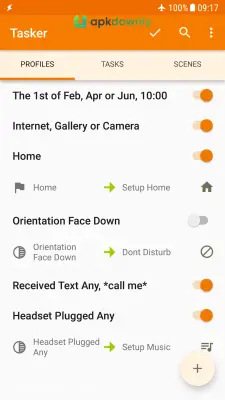

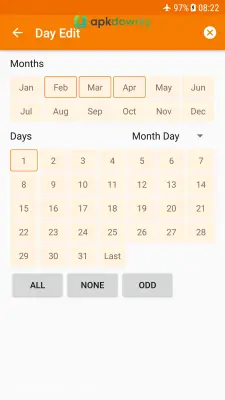
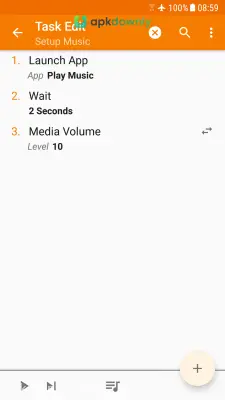
Screenshots from Google Play
More in Tools
View all →


About this app
Tasker
Tasker is an application that runs automatic routines on your phone based on conditions you choose. You set the rules for how your device reacts to different situations. Getting the Tasker APK puts you entirely in charge of your phone's daily habits. It handles the small things you normally do manually. You stop needing a bunch of separate apps to handle your battery, screen flipping, and sound levels.
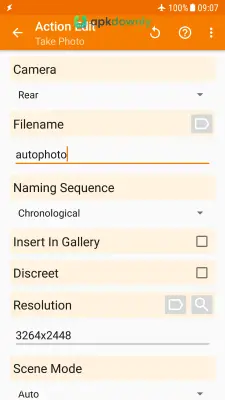
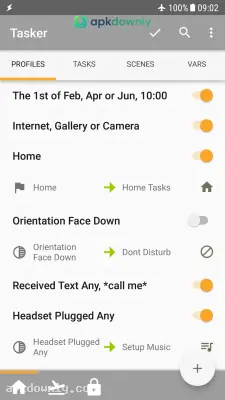
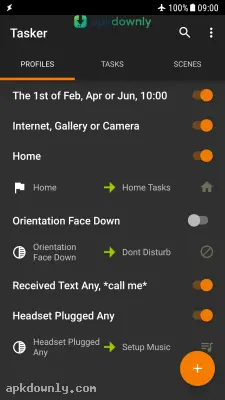
Everything runs on a mix of profiles, contexts, and tasks. A profile acts as your main trigger. It could be a specific time of day, a GPS location, or connecting to your car's Bluetooth network. A task is the actual action that follows. You might instruct the app to turn on your GPS whenever you open Google Maps. Or you can have it silence your ringtone the moment your phone connects to your office Wi-Fi.
Features of the Tasker APK
Context-Aware Triggers: The app talks directly to the hardware sensors inside your phone. Flipping your device face down on a table can instantly trigger a silent mode. You can also track your battery level. It can even ping your family with your GPS coordinates right before your phone dies.
Advanced Notification Management: You stop dealing with constant junk alerts. By using plugins like AutoNotification, this tool parses incoming messages. It can pull your bank balance from a push notification and save it straight to a spreadsheet file. It can also read WhatsApp texts out loud automatically when you have a headset connected.
Smart Home Integration: This program communicates easily with outside services. The software connects quickly with outside smart home networks. You can easily program your living room lights to flip on the second your phone hits the charger.
App Factory Export You can package your finished routines. A built-in tool called App Factory converts your routines into independent Android applications. You just share that generated file with friends. They run your shortcuts without needing to buy or install the core application.
How to Install and Automate Repetitive Tasks
Since this application touches deep system controls, you have to approve several core permissions like Accessibility and Notification Access. The basic installation process is very quick.
- Download the installation file from our secure link.
- Head to the settings menu on your phone and tap Security.
- Switch on the permission to install files from unknown sources.
- Click the file in your downloads folder to begin setup.
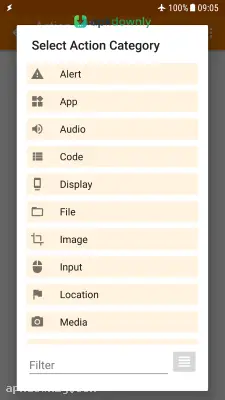
- Launch the application and press the plus button to create a new profile.
Keep things basic for your very first project. Pick a basic time trigger. Have the application cut your Wi-Fi, kill your Bluetooth, and drop your brightness right at midnight. Figuring out that basic flow makes creating advanced Android automation routines much easier. Make sure you remove the Tasker APK from your phone's battery saving list so your routines actually run.



