

Spotify
Get this app from Google Play Store for automatic updates & security. Use APK if Play Store is unavailable in your region or you need an older version.
Screenshots
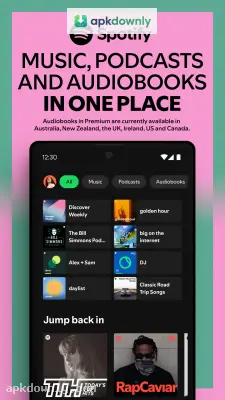
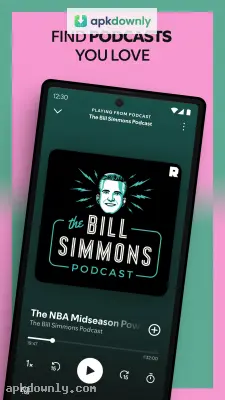

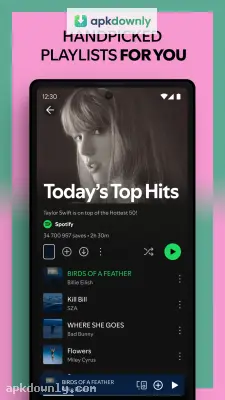

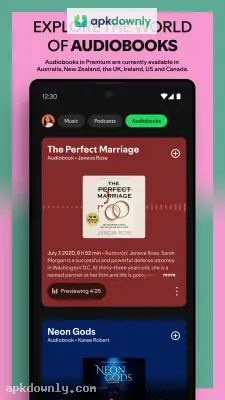
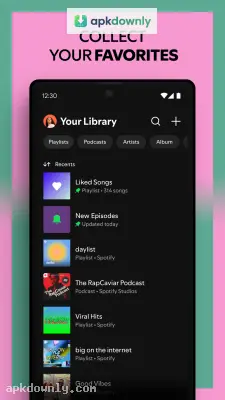
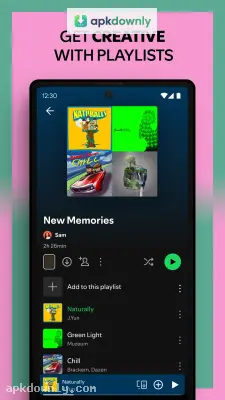
Screenshots from Google Play
More in Communication
View all →


About this app
Spotify
Spotify is a music and audio streaming platform that allows users to listen to music and audio. It not only allows you to listen, but also lets you create and manage your own library where you can keep your favorite music and songs. With this, you can get your favorite content quickly and easily next time. It provides a vast bundle of songs, podcasts, and audiobooks. While it has paid and free plans, you can choose one according to your needs, and it depends on the country or region.
Spotify Features
Vast Library of Content:
It allows users to listen to millions of podcasts and songs by favorite singers and albums, and even if you are not familiar with famous and trending content, you can browse and check related categories. Apart from this, you can switch between songs and audio in the same APK.
Discover songs:
Spotify track you daily activities to check what kind of music, songs, and podcasts you like. It will help you to suggest your liking content automatically.
Search Songs:
In Spotify, you can search and find songs, music, or any content; just put the title of the song in the search bar. Even if you don’t know the title, you can find songs by lyrics or the name of the artist. The Spotify free handed you to search you favorite.
Create Your Own Playlist:
Like in other famous APK you can create Playlists and save songs; in the same Spotify, let users create their favorite list where you can listen to and enjoy songs and podcasts. You can even share your playlist with friends and other people.
Listen on Any Device:
Spotify is a cross-platform APK; it allows users to stream on any kind of device, like mobile, television, and pc. If you link your account with Spotify, your activities will be saved. Now, if you have created playlists and have search history, for some reason you left streaming. So you can continue with the same content on any device.
Free vs Premium:
Spotify APK offers kinds of plans like free and premium, but both have pros and cons. In simple words, with Free Spotify, you can listen to and enjoy songs and podcasts, but advertisements can interrupt you. On the other hand, Spotify Premium removes all kinds of ads; apart from this, you can download songs, music, and audio, etc. You can stream downloaded content offline without internet.
Spotify Packages:
Spotify offers different kinds of plans; you can buy any according to your needs.
Individual Plan:
A single person can use this plan. In this plan, you can get all features like ads free and downloading.
Duo Plan:
In this plan, two users can participate, especially couples, roommates, and friends. It is cheaper than the individual plan. It also offers the same feature like individual plan.
Family Plan:
This plan includes up to 6 members, specially made for families. It also includes the same features as other plans. But it is the cheapest plan if you divide on six members.
Student Plan:
This plan is just for students who need to verify their identity as a student.
Use Spotify on Android:
- To stream with Spotify, first download the APK from a trusted site, then install it.
- Now click on the APK and create an account; if you already have one, you can continue with that.
- Now you will see the home page of Spotify; you can browse different songs, music, and podcasts.
- You can use the search bar for direct access to the content.
- Create a playlist to save favorite content for future use.





