

Get this app from Google Play Store for automatic updates & security. Use APK if Play Store is unavailable in your region or you need an older version.
Screenshots



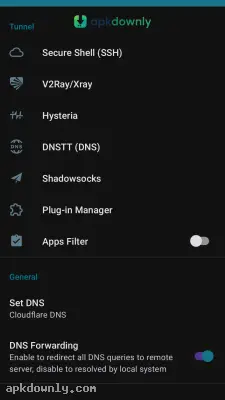
Screenshots from Google Play
More in Tools
View all →


About this app
HTTP Injector
HTTP Injector is a professional VPN and proxy tool that secures your mobile internet connection. Most people connect to public Wi-Fi networks without thinking about who is watching their traffic. The problem is that open networks make it very easy for strangers to intercept your data. The HTTP Injector APK stops this by building a private tunnel from your device to a remote server. It masks your real IP address and scrambles your browsing data so no one can spy on your texts.
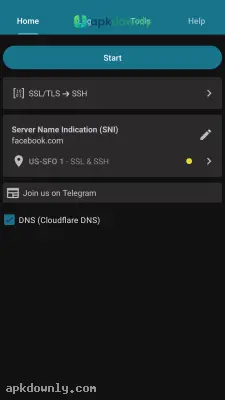
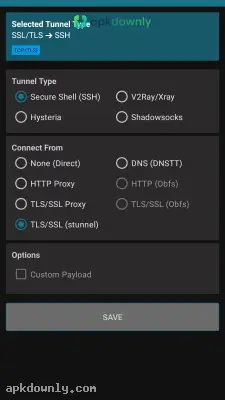
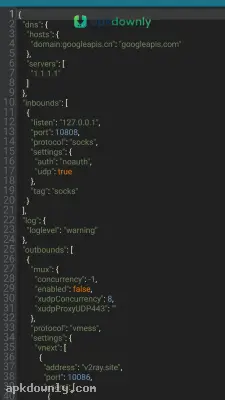
This app is definitely built for advanced users. When you open the software, you won't find a simple connect button right away. Instead you see a blank setup screen waiting for your custom server credentials. You need to create your specific VPN setup using connection types like SSH, V2Ray, or Shadowsocks. You decide exactly how your phone talks to the internet. This setup also lets you step around local network blocks so you can read websites that usually refuse to load in your area.
Key Features Inside the App
The developers designed this tool to provide raw networking power instead of a simplified interface.
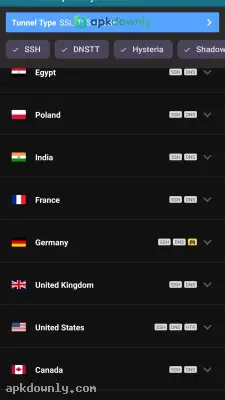
- Multiple Protocols: You get to choose between several connection methods. You can push your data through SSH, SSL/TLS, V2Ray, or basic DNS.
- Custom Payloads: You get to write and edit your own HTTP payloads from scratch. This tricks strict network firewalls because you get to change the exact header details leaving your device.
- Split Tunneling: You do not have to force every single app through the secure tunnel. You can let your bank app use your normal Wi-Fi while forcing your web browser to stay hidden.
- DNS Changer: You can swap out your default DNS provider for a more secure option directly inside the app. This stops your internet provider from tracking the sites you visit.
- Configuration Exporting: Once you build a working connection profile, you can save it as an .ehi file. Then you can share that file with friends so they don't have to set everything up themselves.
How to Set Up the HTTP Injector APK
Setting this app up takes a few extra steps compared to a regular VPN. You need working SSH credentials before you start.
- Download the software. Get the app from your store and let it install.
- Get a server. You need to create a free account on a public SSH provider website to get a hostname, username, and password.
- Open the settings. Launch the app and tap the gear icon to open the SSH settings menu.
- Enter your details. Type in the hostname, port, username, and password from the SSH provider.
- Start the connection. Return to the main dashboard and hit the start button to open your private tunnel.
You can skip the manual setup completely by importing a ready-made .ehi file. Plenty of online groups share working config files you can load with one tap.
Keep your server credentials current, since free public SSH accounts usually expire after a few days.



