
Google News
Get this app from Google Play Store for automatic updates & security. Use APK if Play Store is unavailable in your region or you need an older version.
Screenshots


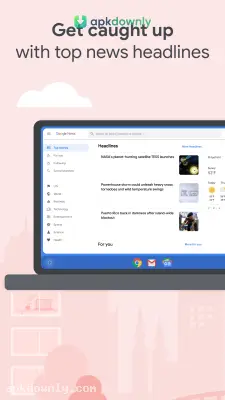
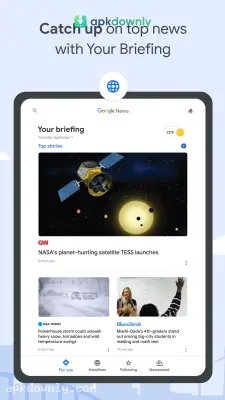
Screenshots from Google Play
About this app
Google News
The Google News app pulls all your favorite news sources into one single feed. You probably check a bunch of different websites or scroll through social media to see the latest headlines. This app fixes that routine. It's an intelligent news aggregator that adapts to your reading preferences. Whether it’s local weather reports or worldwide business news, the feed is customized exactly around the subjects that interest you. And it saves you from opening a dozen different tabs on your phone just to catch up on the morning news. You see exactly what matters to you right away.
What Makes It Stand Out
The most useful part about this app is the "For You" tab. It gives you a short briefing of the top five stories you need to know right now. This feed updates constantly throughout the day as events unfold. But sometimes a single headline doesn't tell the whole story. That's when you tap the "Full Coverage" button. It displays coverage of the identical story from multiple publishers side by side. Timelines, opinion articles, and regional viewpoints appear organized in one place. It helps you spot biases and understand the full picture without doing extra research.
Key Features You'll Use Daily
You have a lot of control over what shows up on your screen. The settings are easy to manage and adjust. Here is what makes the app so helpful for daily reading.
- Local News: You can pin specific cities to your feed. This puts updates from your hometown or places you plan to visit right next to big national headlines.
- Data Saver Mode: Using the app while traveling can quickly consume mobile data. Its data-saver option serves reduced-size images and text when you’re offline from Wi-Fi.
- Save for Later: You may open a lengthy piece on the train and run out of time to finish it. A single tap lets you save the article so you can return to it whenever convenient.
- Following Tab: Here you can track chosen subjects such as space research, preferred sports clubs, or technology firms.
How to Set Up the Google News App
Preparing the app requires only a short time. Adjust the feed so it displays solely the content you prefer.
- Launch the app and log in with your Google account.
- Select the "Following" tab at the bottom of the display.
- Search for the topics, publishers, or places that interest you.
- Tap the star beside any topic you want to follow.
- For any story you prefer not to see, open the three-dot menu and choose “Fewer stories like this.”
A Better Way to Read
No longer do you have to search endlessly for worthwhile reading. The app automatically surfaces articles aligned with your interests and everyday needs. Unwanted content is filtered away, leaving a streamlined experience on your device. A dark theme is also available to reduce eye strain during evening use. Download the Google News app to set up your custom feed and start reading stories that actually matter to you.





