

Audiomack
Get this app from Google Play Store for automatic updates & security. Use APK if Play Store is unavailable in your region or you need an older version.
Screenshots
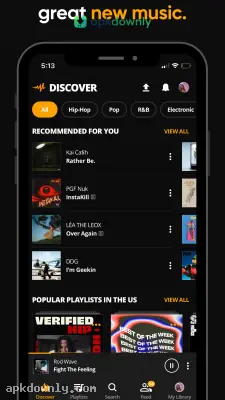
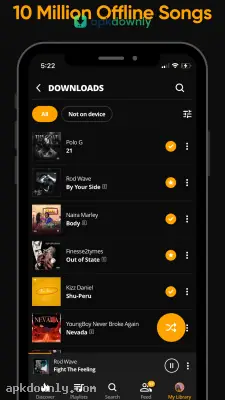
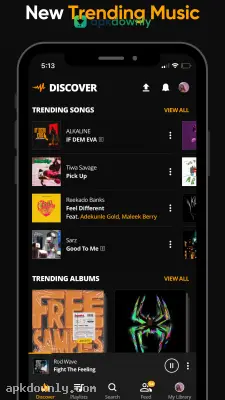
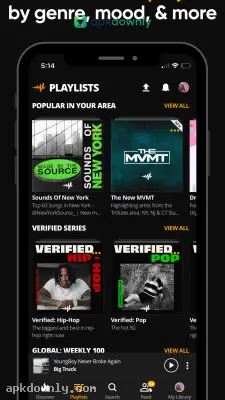
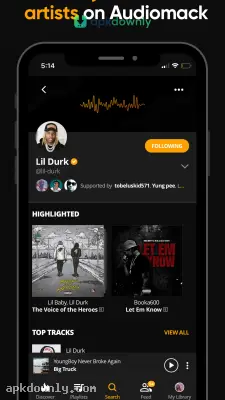
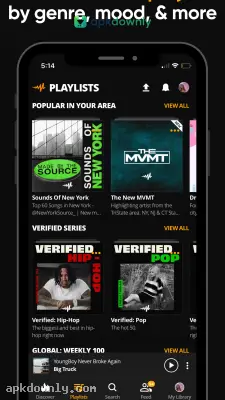

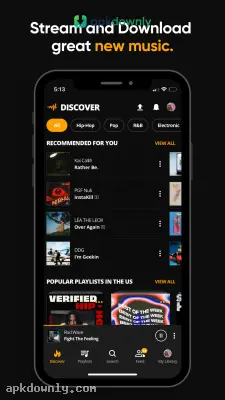
Screenshots from Google Play
More in Music & Audio
View all →


About this app
Audiomack
Audiomack is a streaming platform made for people who want fresh mixtapes and independent music without a monthly fee. When you get the Audiomack APK download, you install a complete audio player on your Android phone that actually saves tracks right to your local storage. It began with hip-hop and rap. Now you’ll also find Afrobeats, Latin tracks, dancehall, and bedroom electronic music. Other big streaming apps force you to pay if you want to listen offline. This one lets you save songs for free, provided you don't mind hearing a few commercials between tracks.
Finding Underground Music
Most mainstream services heavily push radio hits and major label pop stars. Audiomack takes a completely different route. Independent musicians and local beatmakers put their own audio files up every day. You run into raw freestyle tapes, custom beat packs, and random loose singles that never reach the big commercial platforms.
And it doubles as a standard offline music player. You don't need to keep separate apps on your phone just to play your old local MP3s. The system scans your storage and drops your downloaded files right next to the streaming tracks on the exact same screen.
Tools to Save Mobile Data
The application includes a few handy shortcuts built specifically to keep your mobile data bill low.
- Offline listening: Tap the small arrow icon next to any song. The audio file saves directly to your device. That way you can listen on a long drive or a subway ride where you have zero cell service.
- Unlimited skipping: Most free music apps cut you off after you skip six tracks. This platform lets you skip songs all day long without demanding a credit card or a premium upgrade.
- Custom folders: You can throw your favorite tracks into a personal playlist. Or you can share your mixes with friends and save folders created by other listeners.
- Audio controls: The settings menu gives you complete control over how things sound. You can pump up the bass or apply built-in filters to physically slow down or speed up a track.
Setting Up the Audiomack APK Download
Setting up your library is simple. Here’s how to get the app running and save your first songs.
- Install the file. Download the APK right to your Android phone and tap the file to start the installation process.
- Make a free account. You can play music right away as a guest. But creating an account saves your playlists across different devices and lets you follow specific producers.
- Check the charts. Open the trending tab at the bottom. Filter by location to see what people are playing in Jamaica, Nigeria, or the United States.
- Save tracks offline. Tap the download arrow on a song you like. Give it a few seconds to finish while you’re still on home Wi-Fi.
- Listen anywhere. Go to your library and open the offline tab. Your downloads are right there, ready to play without using mobile data.
Watch your phone’s storage space. Saving full albums and high-quality playlists will fill up a few gigabytes of space very quickly. If you're running out of room, just go into the settings menu and drop the download quality to standard. You can also turn on a toggle that restricts streaming to Wi-Fi networks only. This stops the app from touching your cellular data plan by accident. Always check your storage settings before you start saving massive beat packs with your Audiomack APK download.




