

Super VPN Free
Get this app from Google Play Store for automatic updates & security. Use APK if Play Store is unavailable in your region or you need an older version.
Screenshots
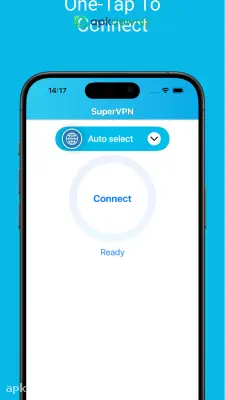
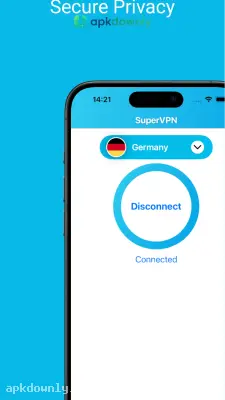
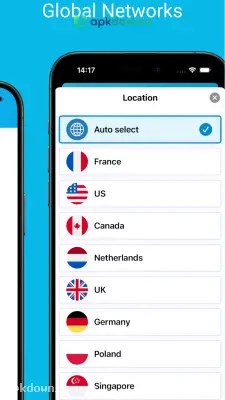
Screenshots from Google Play
More in Tools
View all →


About this app
Super VPN Free APK
Super VPN keeps your Android phone private. Checking your phone on public Wi-Fi at a cafe or airport usually leaves your personal data completely exposed. Downloading the Super VPN Free APK fixes this by changing how your phone connects. It sends your web traffic through a private server and hides your real IP address from every site you visit.
People use this free VPN app for two main reasons. They want to keep their browsing habits hidden from their internet service provider. Or maybe they just want to watch streaming videos that are blocked in their country. The app does both of these things without making you create an account, check your email, or enter a credit card. It just works the second you open it.
Key Features of the Super VPN Free APK
This tool keeps things basic on purpose. You get the privacy you need without digging through complicated network settings or confusing server lists.
No Registration Required:
Most privacy apps force you to sign up with an email address before you can even see the main screen. This app skips the login process completely. You just open it and tap a single button to get a secure internet connection. It doesn't track your daily bandwidth usage. And you never have to buy premium data just to browse at a normal speed.
Get Around Local Blocks:
Lots of streaming apps block certain shows based on where you live. Your office or school probably blocks social media on their Wi-Fi, too. Super VPN masks your actual location. This tricks the network into thinking you are sitting in a totally different country. You skip right past those local filters to watch what you want.
Data Encryption:
The app scrambles the data leaving your device. If someone tries to spy on your connection while you check your bank account at a hotel, they just see random code. Your passwords, search history, and private texts stay hidden from anyone snooping around.
How to Set Up the App
Setting up the app takes less than a minute. You don't need any technical network knowledge to get it running properly. Here is the exact process to secure your connection.
1. Download the installation file directly from the secure link on our page.
2. Go into your Android settings and turn on the option for unknown sources in the security menu.
3. Tap the downloaded file in your notifications to start the installation.
4. Launch the app for the first time. You will see a large connect circle in the center of the screen.
5. Tap the circle.
6. A standard Android warning will pop up asking for permission to set up a new VPN connection. Just hit OK to allow it.
7. Give it a few seconds for the circle to change color so you know it connected. A little key icon will pop up at the top of your screen.
8. Hit the flag icon in the corner if you need to pick a server in a specific place like the US or UK.
Make sure that little key icon is showing at the top of your screen before you log into your bank with the Super VPN Free APK.



