

Get this app from Google Play Store for automatic updates & security. Use APK if Play Store is unavailable in your region or you need an older version.
Screenshots



Screenshots from Google Play
More in Business
View all →


About this app
Adobe Scan
Adobe Scan turns your Android camera into a pocket PDF creator. Aim it at any document to produce a clean, legible file.
Keeping stacks of paper receipts and printed tax forms around the house takes up too much space. The Adobe Scan app solves this by moving your paperwork straight to your device. We test plenty of productivity tools at apkdownly.com, and this one proves useful because it handles the messy parts of scanning automatically. Poor lighting and wrinkled pages are not a problem. The software adjusts the image automatically to give you a clear result.
You can forget about dealing with bulky office equipment. Tap your screen to capture anything from meeting notes on a whiteboard to a printed menu.
Main Features of the Adobe Scan App
This tool replaces physical hardware with smart software. Take a look at the main functions available.
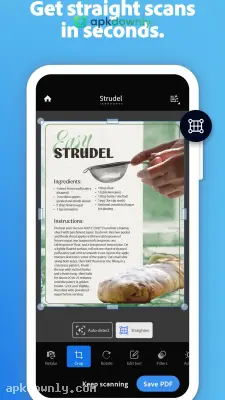
Auto-Detect and Crop: Hold your device above a document and the software finds the edges instantly. It takes a photo automatically when it lines up. The app then removes the messy desk or carpet in the background. The tool fixes the angle automatically so the final image looks perfectly flat.
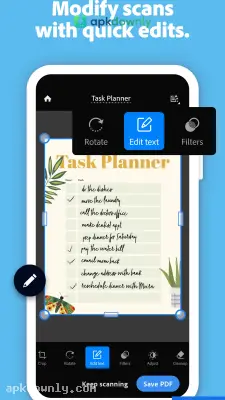
Text Recognition: The app reads handwriting and printed text on your captured pages. It turns that picture into real text you can copy and drop into a blank email. This means you can type a keyword later to find a specific document fast.
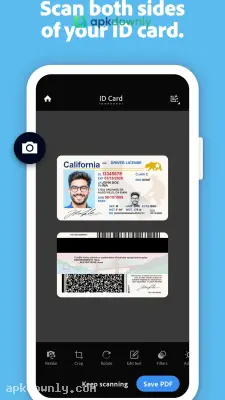
Multi-Page Scanning: If you have a ten-page contract, you don't have to save ten separate files. Take several pictures in a row without stopping. The app groups them all into one neat PDF file. You get the chance to move pages around or delete a bad shot before saving.
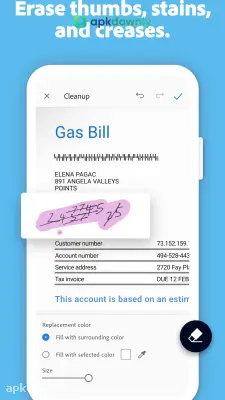
Fix Messy Pages: Old documents often have folds or coffee stains. The app includes simple editing sliders to erase those dark marks and shadows. Adjusting the built-in filters makes the paper bright white and the letters sharp.
Business Card Scanner: Capture a business card to pull the contact information instantly. The app extracts the name and number for you. It then offers to add the new person directly to your contacts.
How to Install the App
Getting this tool ready on your phone is very fast.
1. Download the file from our website. This file is about 150 MB. We recommend using Wi-Fi to keep your mobile data safe from heavy downloads.
2. Open the downloaded package to begin installation. Your phone must run Android 9.0 or above.
3. Launch the app and grant permission for camera and storage access.
4. Sign in with a free Adobe or Google account. This syncs your documents to the cloud for safekeeping.
5. Rest your document on a dark surface, hold the phone still, and capture the image.
Clean your camera glass with a microfiber cloth before opening the Adobe Scan app to get the best results.



