

Get this app from Google Play Store for automatic updates & security. Use APK if Play Store is unavailable in your region or you need an older version.
Screenshots
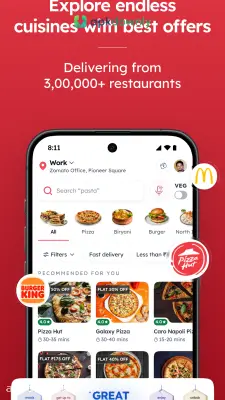
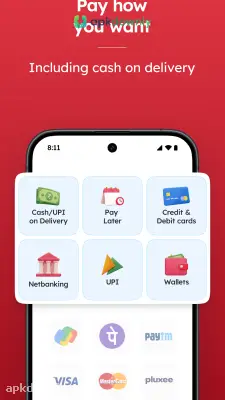

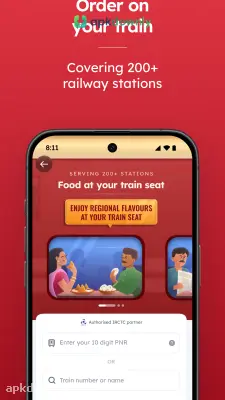

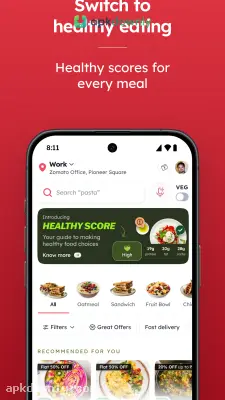
Screenshots from Google Play
About this app
Zomato
Deciding what to eat is a daily headache. Zomato is a food platform built to solve that exact problem. It originally started as a simple directory for reading restaurant menus. Now it handles almost everything related to your meals. You can use the Zomato app to get hot takeout dropped at your door, or you can use it to find a good table for a weekend date. It shows you what's open nearby and lets you read honest opinions from people who actually ate there. It saves you from guessing if a new cafe is worth your money.
Key Features of the Zomato App
This tool gives you plenty of ways to handle dinner. Here are the main things it does.
Fast Food Delivery:
The app links you to thousands of neighborhood kitchens. A simple search tool helps you find exactly what you want. Type in cold coffee, spicy noodles, or a fresh salad to see who’s open nearby. You can sort the list to show the quickest delivery or the lowest fees first. Menus refresh constantly, so you won’t buy a meal the kitchen just ran out of.
Restaurant Reviews and Menus:
Sometimes you want to leave the house and eat at a real table. The platform includes a massive dining out section. You can look at scanned paper menus, check the average cost for two people, and swipe through photos of the actual dining room. Customers leave detailed restaurant reviews constantly. You can quickly spot if a place has loud music or terrible service before you book a table.
Live Order Tracking:
You don't have to guess when your dinner will show up. The built-in map tracks your driver on the road in real time. It updates your delivery clock based on bad traffic or a slow kitchen. You'll know exactly when the rider turns onto your street.
Membership Discounts:
Eating out frequently gets expensive. The platform runs a paid subscription called Zomato Gold. It drops the delivery fees on big orders and cuts your bill when you sit down to eat at partner cafes.
How to Get Started with the Zomato APK
Getting your account ready takes only a minute. Here's how you place your first order.
- Download the software. Get the standard version from the app store or load the Zomato APK file right onto your Android device.
- Create a profile. Log in with an email or phone number. This saves your home address and credit card so you don’t have to type them again next time.
- Set your location. Let the map find you automatically or type your street name. This hides all the restaurants that refuse to drive to your house.
- Pick your meal. Tap a diner, read their menu, and add items to your cart. You can usually leave a typed note asking the chef for less spice or extra ketchup.
- Apply a coupon. Look at the top of your screen for daily promo codes to lower your total bill.
- Pay and confirm. Select cash at the door or type in a credit card number to finish the payment.
- Track your rider. Keep an eye on the digital map so you know the exact minute to open your front door.
- If the kitchen takes forever, hit the chat support button in the Zomato app. You can ask for a quick refund or find out what’s holding up your food.



