

Waze Navigation & Live Traffic
Get this app from Google Play Store for automatic updates & security. Use APK if Play Store is unavailable in your region or you need an older version.
Screenshots

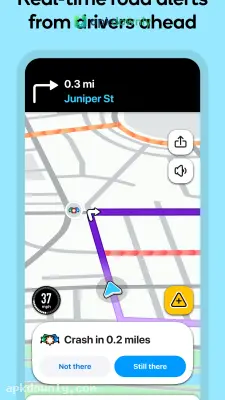
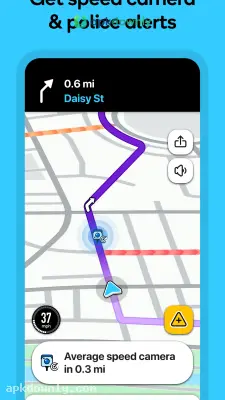
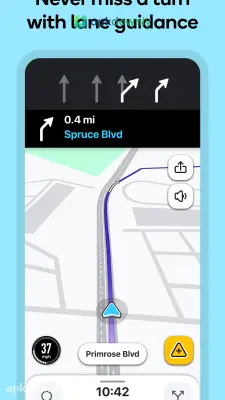
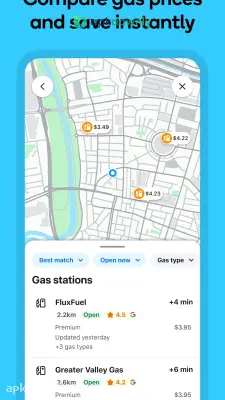


Screenshots from Google Play
About this app
Waze
Sitting in dead-stop traffic is incredibly frustrating. Waze is a mapping tool designed to keep you moving. It stops guessing your arrival time using old maps and relies on a massive group of actual drivers instead. People already stuck in traffic report exactly what they see on their screens.
When you open the Waze app, you see fresh accidents, blocked lanes, and speed traps before you even start the car. The system checks how fast you’re going against the cars around you. If a stalled bus completely blocks the next intersection, it automatically sends you onto a clearer detour.
How the App Finds Traffic Jams
Standard maps often route you right into a fresh traffic jam. This app fixes that by asking drivers for constant updates. Someone spots a dangerous pothole or a broken-down van and taps a button to mark the spot. Your screen displays that problem miles before you actually arrive there. You get live traffic updates that explain exactly why cars are slowing down. And you know exactly how many minutes the delay will cost you.
Speed Limits and Police Traps
Getting pulled over ruins a drive. This GPS navigation tool constantly watches your speed. It shows the current road limit right next to your actual speed on the screen. Your on-screen speed turns red if you start going too fast. The app also chimes and flashes an icon when you get near a red-light camera or a parked police car. You get plenty of time to check your speed safely.
Finding Gas and Food on the Go
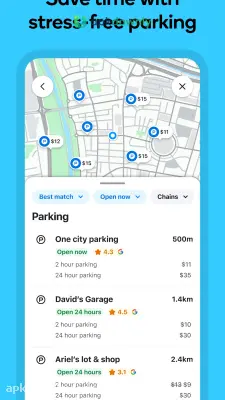
You never need to exit the navigation screen to buy lunch or gas. Other users actively type in the current fuel prices for stations right in the app. When your fuel gauge drops, you can easily look up the cheapest gas station on your route. Pick a pump and the directions will steer you into the parking lot. It keeps your main trip running perfectly in the background. You can use this exact same trick to find a quick burger or a paid parking spot.
Getting Started with the Waze APK
Setting this tool up for a morning drive takes just a minute. Here is how you start navigating.
- Download the software. Download the normal store version or install the Waze APK file straight to your Android device.
- Make a profile. Logging in lets you save your home and office locations so you can start a trip with one button.
- Type in your destination. Type an exact street number or the name of a local shop into the search box.
- Check the routes. It defaults to the quickest trip. But you can open the routes menu to review other paths and see how long they take.
- Change your settings. Open the menu to force the map to skip paid toll booths or messy dirt roads.
- Start driving. Pay attention to the spoken directions and glance at your phone for new road warnings.
Reporting Problems on the Road
This map only works when drivers share information. Once you get comfortable driving with it, you can start marking hazards yourself. If you see a speed trap or a large piece of debris in your lane, tap the orange icon. Choose the right warning sign to alert the cars coming up behind you.
Always type your address into the Waze app before you pull out of the parking spot.



