

Twitch
Get this app from Google Play Store for automatic updates & security. Use APK if Play Store is unavailable in your region or you need an older version.
Screenshots


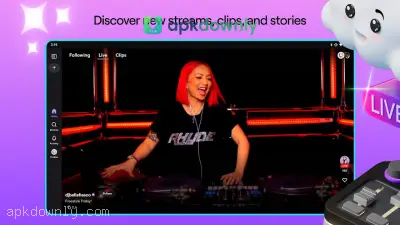
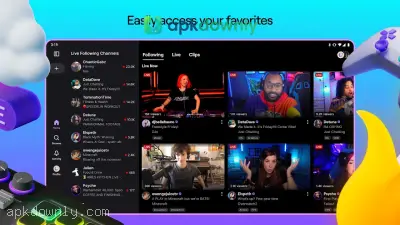
Screenshots from Google Play
More in Entertainment
View all →


About this app
Twitch
Twitch APK puts live video right on your Android phone. It focuses on games and creative stuff like music or art. You can catch pro esports matches, casual play sessions, or people just chatting with their audience.
Millions of people use this live streaming app every day. They watch others play games like Fortnite or Minecraft. But it has a huge community for music, cooking, and painting too. You get to interact directly with the person on screen in real time.
Key Features of the Twitch APK
The mobile app includes everything you need to interact with broadcasters. Here is exactly what you get when you open it.
Live Chat and Custom Emotes:
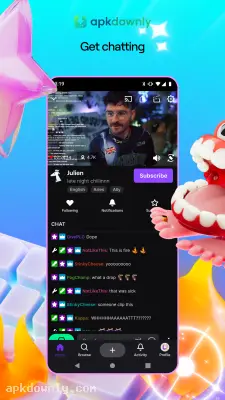
Watching a video is only half of the experience. The live chat runs constantly on the side or bottom of your screen. You can type messages to the broadcaster and talk to other viewers. The app supports all the custom emotes and channel badges you normally see on a computer. You can also buy and spend Bits right from your phone to support the people you watch.
Direct Mobile Broadcasting:
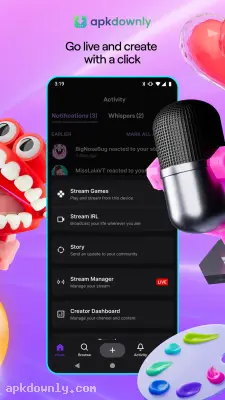
No need for a full PC setup to start streaming. The app lets you go live straight from your Android phone. It grabs your screen and mic so you can share a mobile game match. Or flip to the front camera for a casual talk from your couch.
Following and Notifications:
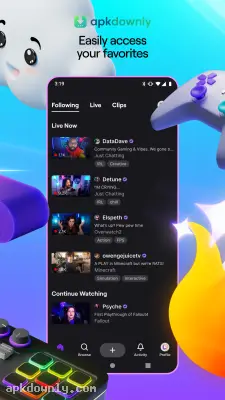
There are thousands of people broadcasting at any given time. Keeping up with the ones you like is simple. Just tap the heart on a channel to add it to your list. You’ll get a push alert the moment they go live. That way, you catch the start of a stream or any special event.
Background Audio Mode:
Sometimes you just want to listen to a stream like a podcast. The app includes a background audio mode. You can minimize the video player and turn off your screen while the audio keeps playing. This saves your battery life and cuts down on mobile data usage when you are out of the house.
How to Install and Use Twitch APK
Getting your account ready and finding streams only takes a couple of minutes. You can find everything from small indie titles to massive tournament finals. Here is the exact process for installing the app on your Android device.
1. Download the installation file using the secure link on our page.
2. Head into your Android settings and turn on the option that lets you install apps from outside the Play Store.
3. Open the file from your notifications and start the installation.
4. Open the app, make a free account with your email, or just log in if you already have one.
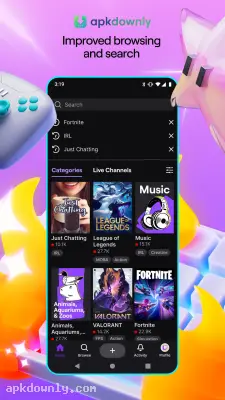
5. Use the Browse tab at the bottom to look up games or topics you like.
6. Pick any live channel to watch the stream and jump into the chat.
7. Hit the profile icon up top left if you want to change stream quality or switch to dark mode.
Grab some headphones before you open the Twitch APK in public. That way the game sounds won’t startle anyone around you.





