
Samsung Health
Get this app from Google Play Store for automatic updates & security. Use APK if Play Store is unavailable in your region or you need an older version.
Screenshots


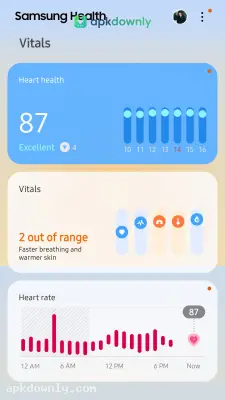


Screenshots from Google Play
About this app
Samsung Health
Samsung Health keeps a running tally of your steps, meals, and bedtime hours. It works like a simple digital log for your body. If you want to monitor how much you move during the day, downloading the Samsung Health APK is the easiest way to start. It comes pre-installed on many Galaxy phones, but anyone with an Android device can use it. You just keep your phone in your pocket, and the app counts your steps automatically.
Core Features of the Samsung Health APK
The main screen shows a large circle that fills up as you walk. It gives you a daily step goal. Usually, this defaults to six thousand steps. You can change that number to match your own fitness level. The app shows your walking history in simple bar graphs. This makes it easy to see which days of the week you move the most.
It does more than just count steps. You can log the food you eat to track daily calories. The app has a large database of basic ingredients and restaurant meals. Type in a slice of pizza or a bowl of oatmeal to instantly log those calories. And there is a quick button to tally every glass of water you finish.
The app also has a section for women’s health. You can log your menstrual cycle and note related symptoms over time. This helps estimate future dates based on your past data.
Sleep and Exercise Logs
A paired smartwatch will automatically figure out your REM and deep sleep cycles overnight. But you can also just type in your wake-up time if you prefer leaving your watch on the nightstand. Hit the start button before a morning jog, and the app plots your exact path using GPS. It spits out your average pace and total distance the second you finish. You can jump into walking challenges with other people. The app also features built-in video routines for basic yoga and post-run stretching.
How to Install the App
Getting this tracker on your Android phone takes just a few minutes. Here’s how to set it up.
- Save the APK file from apkdownly.com to your downloads folder.
- Navigate to the security tab in your Android settings.
- Allow installations from unknown sources.
- Tap the new file in your file manager.
- Hit Install and wait a few seconds.
Open the app to type in your height and weight. Then just slip your phone into a secure pocket so it can start counting your steps accurately.



