
Pokémon GO
Get this app from Google Play Store for automatic updates & security. Use APK if Play Store is unavailable in your region or you need an older version.
Screenshots
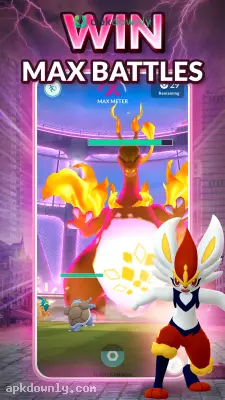
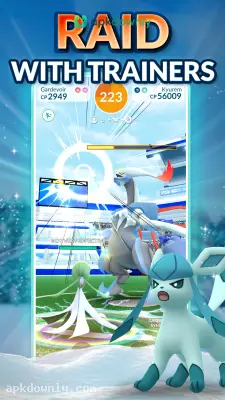

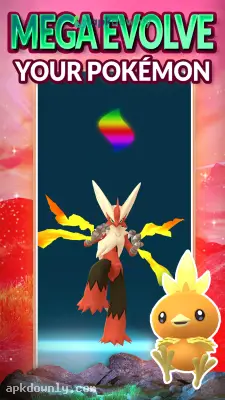


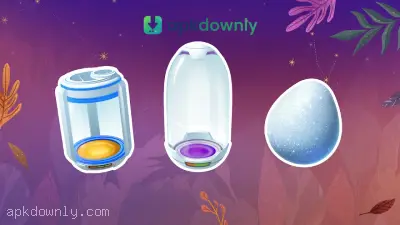
Screenshots from Google Play
About this app
Pokémon GO
Pokémon GO puts virtual creatures right in your own neighborhood. You actually walk out your front door to find them hiding near local shops and street corners. Sometimes device blocks or store rules get in the way. That's when players use the Pokémon GO APK download to skip the hassle and start playing immediately.
You play as a new trainer looking to build a team. You catch monsters, level them up, and battle local rivals. And since the app uses your phone's camera and GPS, it makes it look like the creatures are standing directly on the sidewalk ahead of you.
What Makes People Walk With Pokémon GO
The app requires actual footwork. There is no digital steering wheel to navigate the map. You use your own legs to reach local landmarks if you want to find items or monsters.
PokéStops and Local Gyms:
Common spots like post offices and park statues act as supply drops. You spin a picture on your screen when you stand near them to get extra capture balls and berries. Gyms are massive structures on your map where you fight rival groups for daily coins. You pick a team early on and can eventually take over these spots to show off your strongest catch to the neighborhood.
Catching and Powering Up:
Little rustling leaves or fully visible monsters will appear on your screen as you walk. Tapping them opens the catch screen. You catch a monster by flicking a digital ball at it with your finger. Every successful throw gives you candy and Stardust. You use those items to increase your team's health points or trigger an evolution.
Raid Battles:
Sometimes a massive egg appears above a Gym with a countdown timer. When it hatches, a tough boss appears. You team up with other local players to fight it. If you win, everyone gets a chance to catch the rare boss.
How to Install Pokémon GO
Getting your feet wet takes just a few minutes. Here's how to begin.
- Get the file.
- Find a secure link to download the APK file, open your phone's downloads folder, and tap the file to install it.
- Make your character.
- Open the game to sign in with an email account and pick out an outfit for your digital trainer.
- Pick your starter.
- The professor will offer you three classic choices. Tap the Squirtle, Charmander, or Bulbasaur on your screen to learn how to throw a ball.
- Start walking.
- Leave your screen on while exploring your neighborhood. The phone vibrates when a creature appears nearby. Tap it to see it through your camera.
- Master the toss.
- Watch the shrinking colored circle on the screen, then swipe up to launch your ball. You can drag the ball in a circle before throwing to land a curveball for bonus points.
Extra Perks for Walking
The game wants you to stay active. You can incubate eggs that only hatch after you walk two, five, or ten kilometers. You also pick a buddy to walk beside your character on the map screen. Walking with your buddy earns you extra candy for that specific species. As you feed them treats, they can even help you catch Pokémon by bouncing missed balls back at the target.
You can enjoy this game even if you have never watched the cartoons. It gives you a simple reason to walk outside and see familiar streets in a different way. Just bring a power bank with you when using your Pokémon GO APK download, because keeping your GPS on will drain your battery fast.



