

Nike Run Club
Get this app from Google Play Store for automatic updates & security. Use APK if Play Store is unavailable in your region or you need an older version.
Screenshots


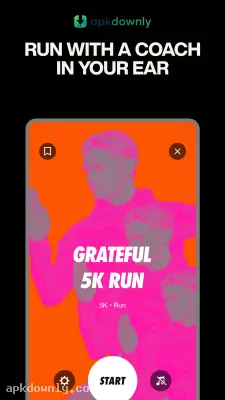
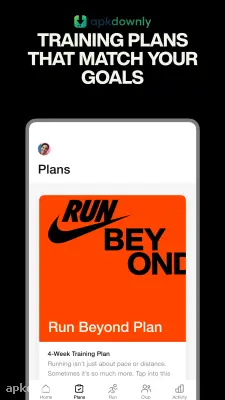



Screenshots from Google Play
About this app
Nike Run Club
The Nike Run Club app keeps track of your miles and coaches you as you go. Most trackers just dump raw numbers on your screen after a run. You open the app, check your distance or pace, and that’s approximately it. But looking at plain numbers rarely pushes anyone to head out again tomorrow. This app covers the usual GPS tracking and throws in audio coaching to keep you going.
What It Is
It's a free mobile running tracker. Open the app, hit begin, and slip your phone into your pocket. Your phone’s GPS tracks where you go and plots your route on a map. And it logs your total miles, average pace, plus any hills you climbed. Connect a smartwatch, and it will also track your heart rate.
You don't have to run outside to use it. There is a specific treadmill mode that uses your phone's internal motion sensors to measure your distance when you are running in place indoors.
Key Features of the Nike Run Club App
- Audio Guided Runs: This is why a lot of people look for the Nike Run Club APK. The app has masses of geared-up, go-to audio tracks. Choose a session that fits your goal for the day. A coach talks right into your headphones while you jog, letting you know when to push harder, slow down, or adjust your form. But you can still play your own Spotify or Apple Music tracks underneath. The coach’s voice dips the music volume a bit whenever they talk.
- Shoe Tagging: Running shoes wear out their cushioning over time. The app lets you type in the exact brand and model of shoes you own. You tag those shoes before you start your workout. The app keeps a running total of the miles on that specific pair. It sends you an alert when you hit a high number so you know it's time to buy replacements.
- Group Challenges: Solo runs can get boring pretty quickly. You can set up a custom challenge—say, ten miles by the weekend—and invite friends along. It builds a live scoreboard so you can see who’s actually putting in the work.
- Training Plans: Prepping for a 5K or a full marathon? The app acts like a personal calendar. Just type in your race date, and it gives you a clear weekly plan with daily targets.
How to Get Going With the App
Setting up the app takes about a minute.
- Grab the file and install it on your device.
- Open the app and create a free Nike account using your email address.
- Allow the app to access your location services. It needs this to draw your route map.
- Head to the main Run tab at the bottom of the screen.
- Choose a basic open run or dig into the audio library for a guided one.
Choose a primary open run or dig into the audio library for a guided one. The interface relies on a dark background with bright neon yellow buttons. That extra contrast makes the screen easy to read in harsh sunlight.
Make sure to charge your battery before heading out, because running GPS continuously chews through juice fast.



