

MyFitnessPal
Get this app from Google Play Store for automatic updates & security. Use APK if Play Store is unavailable in your region or you need an older version.
Screenshots

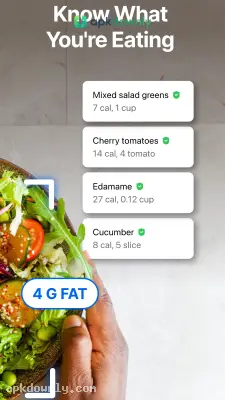


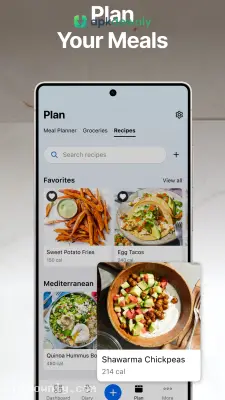

Screenshots from Google Play
About this app
MyFitnessPal
MyFitnessPal is a mobile diary for everything you eat and drink. Keeping a written log of meals takes a lot of time and guesswork. The app does all the counting for you. Just log your sandwich, and it instantly tallies the calories, protein, and fat. Grab the MyFitnessPal APK from apkdownly.com to get it running on your Android device.
What This Calorie Tracker App Actually Does
The core of the app is its massive food database. It holds millions of items. Type in a basic piece of fruit or look up a specific cereal brand from the supermarket. It even has exact meals from popular burger joints and local diners ready to add. It also remembers your frequent meals. If you eat the same eggs and toast every Tuesday, you can swipe right to log yesterday's breakfast in one second.
But typing everything gets old quickly. The barcode scanner makes this much faster. Point your phone at a candy wrapper or a cereal box, and the exact macro counts appear instantly. You just adjust the serving size and tap the checkmark.
This calorie tracker app also breaks down your macronutrients. A simple chart tracks your fat, carb, and protein intake. Set your target numbers depending on if you want to drop a few pounds or build some muscle.
Other Features in the App
Cooking at home requires a slightly different approach. You can log the food you make from scratch using the recipe importer. You paste a web link to a cooking blog into the app. It reads the raw ingredients and creates a single calorie count for your specific portion size.
And it monitors your physical movement. Link it right to your built-in pedometer. Walking a few miles subtracts from your daily total, so you earn a few extra calories for dinner. There is also a simple water tracker. You tap a glass icon to record your hydration throughout the morning and afternoon.
How to Start Your Fitness Diary
Setting up your fitness diary takes only a couple of minutes. Here is how to install the file and create your custom profile.
- Download the installation package from our site to your local phone storage.
- Go to your security settings and turn on unknown sources.
- Find the new file in your downloads folder and tap it.
- Launch the app to enter your height, age, and current weight.
- Type in your goal weight and set your timeline.
- Pick your daily activity level to generate your custom calorie limit.
Your daily allowance shifts automatically as you drop weight over time. Keep a cheap kitchen scale handy to weigh your meat and pasta before logging them in the app.



