
Google Home
Get this app from Google Play Store for automatic updates & security. Use APK if Play Store is unavailable in your region or you need an older version.
Screenshots
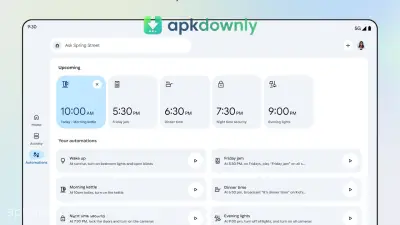
Screenshots from Google Play
What's new
About this app
Google Home
Google Home puts your daily electronics in one place. Dealing with five different apps just to turn on a lamp or fix the heat takes too much time. You can grab the Google Home APK from apkdownly.com to organize everything on one single screen. It links up with your Chromecast, security cameras, and standard smart plugs. After the initial setup, you just tap your screen to manage the whole setup.
What You Can Do With the Google Home APK
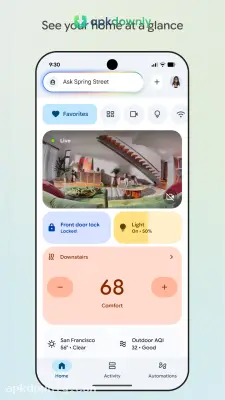
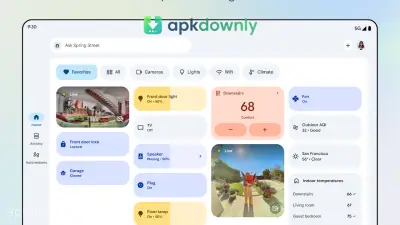
The main dashboard shows the current status of your entire house at a quick glance. It tells you exactly which lights are left on and what the current hallway temperature is. You also get a dedicated Favorites tab right at the top of the screen. This lets you pin your most heavily used items for instant access. Pin your porch light to the top so you can turn it off quickly right before bed.
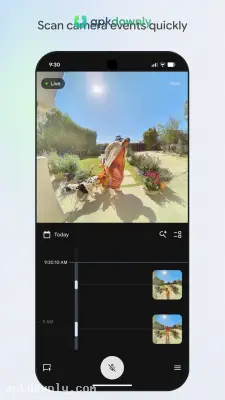
Pulling up your camera feeds takes only a second. You can tap a camera icon to jump straight into a live video feed and see who is standing at the front door.
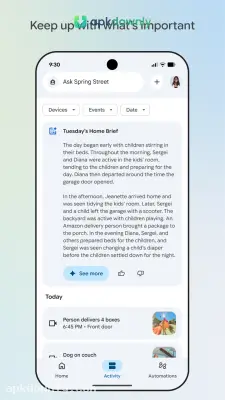
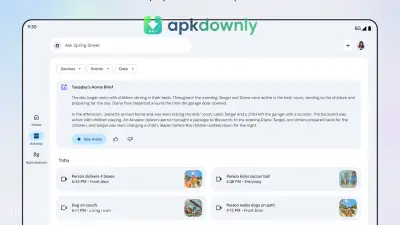
The app also keeps a neat timeline of recorded events. You just scroll backward through the video history to find out exactly when the mail carrier dropped off a package.
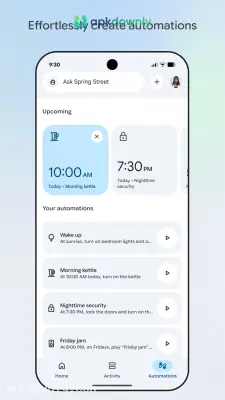
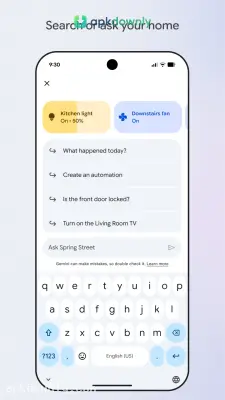
You can automate your daily habits without thinking about them. The app lets you build a morning or evening schedule that runs in the background. For example, you can tell the system to lower the thermostat and play soft background noise automatically at ten o'clock every night. A recent update also added Gemini voice controls. Just tell your phone to drop the temperature to 22 degrees, and the system handles it instantly.
Setting Up Your Smart System
Linking a new gadget to your network takes only a few minutes. The software plays nicely with almost any product that carries a Matter logo or a "Works with Google Home" sticker on the box.
- Download the installation package from our website directly to your Android local storage.
- Open your phone settings to allow apps from unknown sources.
- Find the file in your downloads and tap it.
- Launch the app and sign in with your usual Google account.
- Tap the plus button to pair a new piece of hardware.
- Let the app scan your network and confirm when it finds your item.
- Assign the new speaker or plug to a specific room.
People with compatible routers can manage their Wi-Fi directly from the app. You can let a friend connect to your internet by showing them a scan code on your screen. Putting your devices into room groups keeps the main menu clean so you don't have to scroll forever. Just check that your phone is connected to your local Wi-Fi before you try setting up a new device in the Google Home APK.





