

Crunchyroll
Get this app from Google Play Store for automatic updates & security. Use APK if Play Store is unavailable in your region or you need an older version.
Screenshots





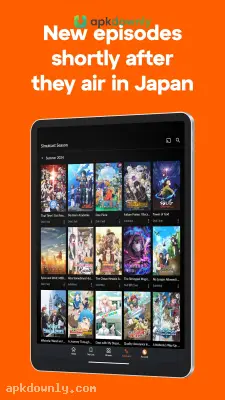
Screenshots from Google Play
More in Entertainment
View all →


About this app
Crunchyroll
Crunchyroll is a video streaming service dedicated entirely to Japanese animation and Asian dramas. You can use it to watch popular shows like One Piece, Demon Slayer, or Jujutsu Kaisen directly on your phone.
We test a lot of entertainment platforms at apkdownly.com, and this anime streaming app remains a staple because it actually supports the original studios. A free account lets you watch with ads. A paid plan removes them.
Some phones can’t reach the regular app stores, or you might need an older version that runs smoother on a tablet. Downloading the Crunchyroll APK gets it working quickly. It gets the app onto your home screen so you can watch anime online almost immediately.
What You Get with the Crunchyroll APK Download
The app organizes a massive catalog of shows into simple menus. Here is what the app offers.
Fast Episode Updates: Nobody likes waiting weeks for a translation. This platform fixes that by uploading new episodes about an hour after they air on television in Japan. You get the original Japanese audio paired with professional English subtitles.
Massive Show Library: The catalog holds thousands of series. Stay up with new seasonal episodes or binge older classics from years back. The search tool sorts everything by genres like action, romance, or comedy.
Dubs and Subs: Reading text on a small phone screen gets tiring. The app includes a large selection of English dubbed episodes. Voice tracks are also available in Spanish, Portuguese, French, and German. You can switch the language right in the player.
Offline Viewing: HD video eats up cellular data quickly. Premium members get a download icon next to each video. You can store entire seasons on your local memory. This makes long flights and spotty bus rides much easier to handle.
Watch lists and Progress Tracking: The platform remembers your exact playback times. Stopping an episode to take a call means it picks up right there when you come back. You can add future shows to a personal list so you don’t forget them.
How to Install the App on Android?
Getting your account set up takes just a couple of minutes.
- Download the installation file from our site. The download takes up about 100 MB of space. Connect to Wi-Fi to spare your cellular plan.
- Head into your Android settings menu and find the security tab. Switch on the permission for unknown sources so the phone runs the installer.
- Find the saved file inside your downloads folder and tap it to start the setup.
- Wait a few seconds for the installation to finish, then tap the app icon on your main screen.
- Create a free profile with your email. This makes sure
- your watch history saves properly to the cloud.
After everything is running, switch your default video quality to auto so the stream does not buffer if your signal drops.





