AliExpress
Get this app from Google Play Store for automatic updates & security. Use APK if Play Store is unavailable in your region or you need an older version.
Screenshots

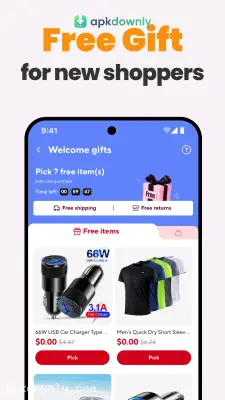
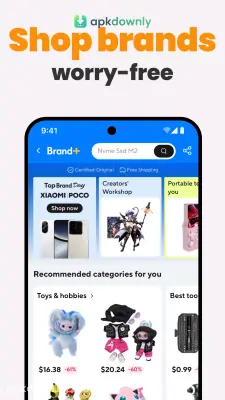

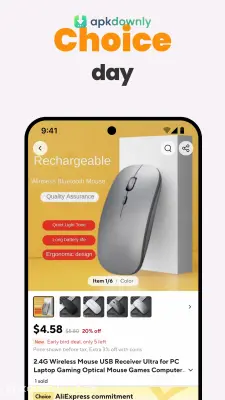
Screenshots from Google Play
More in Shopping
View all →


About this app
AliExpress
Shopping directly from factories overseas saves a lot of money. When you get the AliExpress APK download, you're installing a massive global storefront on your Android device.It's the official mobile application for the giant retail platform owned by Alibaba. You skip the retail stores completely. This lets you dig through the inventory, find the cheapest option, and pay securely from your couch.
What Does the AliExpress App Do?
It works like a huge international flea market. Regular buyers get direct access to the actual factories and vendors operating overseas. Buying straight from the source means you uncover a huge variety of cheap items online. You'll find basic phone chargers, winter coats, and quirky home decorations all in one place.
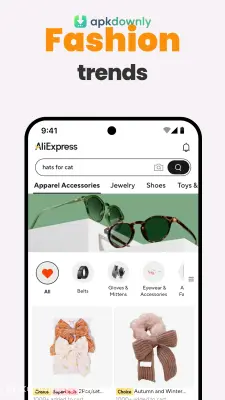
This particular online shopping app works hard to learn what you like. It tracks your browsing history to suggest similar products. The design is straightforward. You have a search bar at the top and a feed full of daily discounts right below it.
Key Features Inside the App
The platform adds a few specific features to take the stress out of international buying.
- Image Scanner: Take a photo of some sneakers at the mall. The system checks the entire catalog to find that exact pair or a close knockoff.
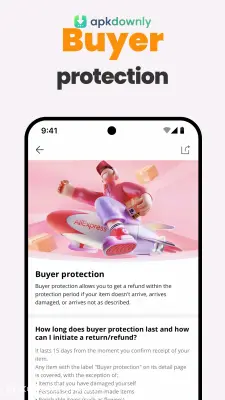
- Clear Refund Policy: Mistakes happen during transit. When an item shows up damaged, you just file a claim to get a refund through their built-in protection system.
- Seller Chat: You can message the vendor directly before you spend anything. Ask them to confirm a shirt size or explain a shipping method.
- Package Updates: Boxes coming from overseas take a while. But you get to follow your item from the factory floor straight to your local post office.
Getting Started with the AliExpress APK
Getting your account set up takes barely two minutes. Here's how you go from installing the file to placing your first order.
- Install the file. Save the file to your Android and tap it to run the setup.
- Make a profile. You don't need an account just to look around. But signing up lets you save a wishlist and keep your address on file. First-time buyers almost always get a heavy discount on their first item.
- Find your items. Type the item you want at the top. Apply the filters to just see stuff that ships for free or has good ratings.
- Read the reviews. Do not skip this step. Always check the customer photos to see what the material actually looks like in person.
- Pay for your cart. Add the items you want and hit checkout. The app accepts major credit cards, debit cards, and PayPal.
Finding Better Deals: Scoring the best prices requires a little digging. Many sellers list the exact same watch or backpack at completely different price points. Always scroll down to the "similar items" tab before you check out. You can usually find the same thing a few dollars cheaper. You should also watch the homepage for flash sales.
Packages crossing the ocean easily take a few weeks to show up. Always look at the delivery estimate before you pay. Buying only from highly-rated vendors is the best way to get what you want from your AliExpress APK download.