
Plants vs. Zombies
Get this app from Google Play Store for automatic updates & security. Use APK if Play Store is unavailable in your region or you need an older version.
Screenshots

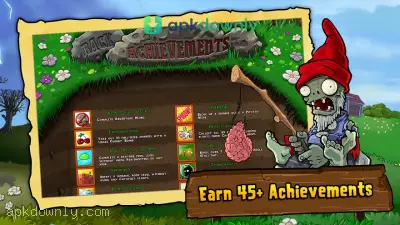


Screenshots from Google Play
About this app
Download Plants vs. Zombies APK
A crowd of walking dead is heading straight for your house, and your garden is your only shield. Surviving requires fast reflexes and clever plant choices. One slip-up lets a monster step right inside your kitchen. And the waves of enemies only get faster as you progress. If you want this classic defense game on your phone, you should get the Plants vs. Zombies APK.
What Is Plants vs. Zombies?
PopCap Games created this quirky survival challenge. The rules are very simple to learn. You set up different plants on the grass to block or attack the approaching monsters. Sunflowers give you the solar drops required to buy your defenses. Dropping a Peashooter creates a static gun that spits green peas straight ahead.
The playing field changes as you beat different stages. You start on a simple front lawn during the daytime. But soon you have to defend your backyard at night using mushrooms that cost less sun. The darkness also brings fog that hides incoming enemies. Eventually, you deal with a backyard pool that requires lily pads for your plants to stand on. And the final stages take place on your slanted roof. The roof angle blocks straight projectiles, so you have to switch to cabbage plants that lob attacks over the slope.
Features of the Game
This Android game brings all the content from the original PC release straight to your touchscreen.
The main story mode features 50 full stages to play. Each stage brings new garden tools or unusual enemy threats. You will face 26 distinct zombie types. Normal zombies go down quickly. Conehead zombies take a bit more damage, while Buckethead zombies can absorb a massive amount of punishment before falling. You also have to deal with pole-vaulters who jump over your first line of defense and scuba zombies who swim under your attacks.
You get 49 different plants to build your strategy. Wall-nuts act as fleshy barricades to stall the enemy. Cherry Bombs clear out large groups instantly. Snow Peas slow down running zombies. You can mix and match these plants depending on which enemies show up in the preview screen before a level starts. Picking the right team is the only way to survive the later stages.
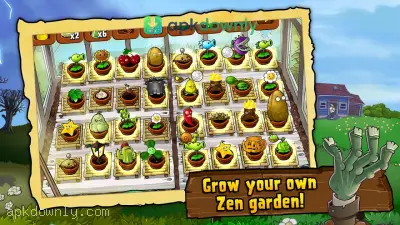
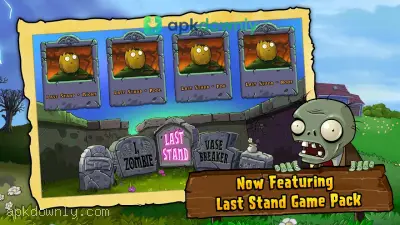
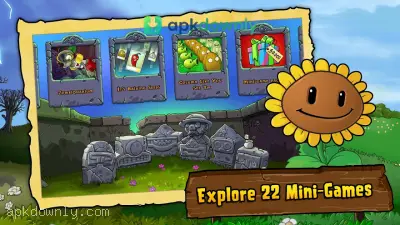
The game includes several extra modes to keep you busy. Survival mode tests how long you can last against an endless continuous wave of attackers. The Zen Garden gives you a quiet space to water sprouts and collect coins without fighting. You spend those coins at Crazy Dave's shop. You can purchase extra plant slots, a pool cleaner, or special upgrades like the twin sunflower.
How to Get Started with Plants vs. Zombies APK
Here is how you install the game and protect your brains.
-
Grab the game package directly onto your mobile phone using our download link.
-
Go into your device settings menu and select Security or Privacy.
-
Turn on the setting to allow third-party app installations.
-
Launch your file manager and navigate to your saved downloads.
-
Click on the downloaded APK and press the install button.
-
Run the app from your main screen to kick off your first level.
Set your screen brightness high so you do not miss dropping solar tokens during dark stages when using the Plants vs. Zombies APK.





