

Photomath
Get this app from Google Play Store for automatic updates & security. Use APK if Play Store is unavailable in your region or you need an older version.
Screenshots
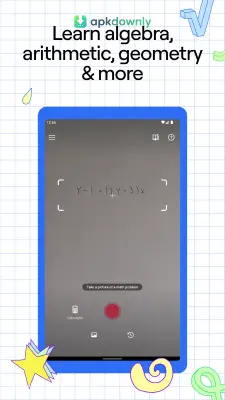


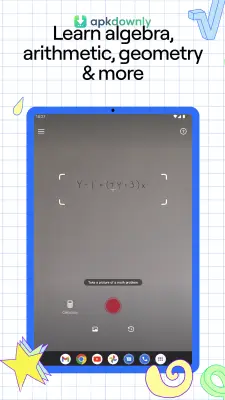
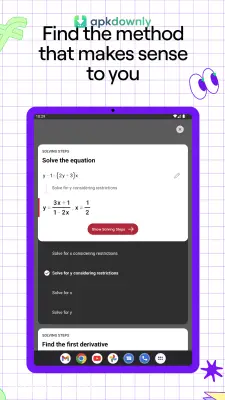

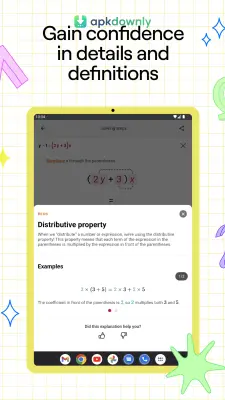
Screenshots from Google Play
About this app
Photomath
Staring at a blank math worksheet can ruin your whole evening. Sometimes you look at an algebra equation for thirty minutes and get absolutely nowhere. Photomath is a mobile app built to fix that exact problem. You just point your phone camera at the paper, and the screen hands you the answer. But it refuses to just hand you a bare number to copy down. When you download the Photomath APK, the software pulls back the curtain on the actual work. The app shows every single step of the math problem in order. It handles simple middle school fractions right up through heavy calculus. You see the exact work your teacher expects you to write on the test.
Key Features of the Photomath APK
You get a few neat features to help you get through your homework.
- Camera Scanning: Typing out long math problems on a phone keyboard is a pain. This tool uses your camera to grab the equation directly from the paper.
- Detailed Instructions: The app lists the full solving method from beginning to end. You can study each phase to understand the logic. The system also offers small clues if a certain step stumps you.
- Handwriting Recognition: The scanner easily picks up normal handwriting. As long as your writing is neat, the app will read the pencil marks.
- Offline Support: You do not need an internet connection to solve equations. The main processing engine runs directly on your phone. This helps out a lot when you have to study on a bus or in a room with a weak signal.
- Built-in Calculator: A phone lens occasionally struggles with messy notes. A custom math keyboard lets you punch in hard formulas and root symbols yourself.
- Visual Graphs: The system frequently builds charts for difficult algebra questions. This lets you see what a specific function actually looks like on a coordinate plane.
How to Use This Math Problem Solver
The scanning process is very fast. Anyone can figure it out in a few seconds.
- Open the application and grant permission to use your camera.
- Hold your device over your paper.
- Center the tricky equation inside the red box on the screen.
- Pull the edges of the square to make it bigger for long math problems.
- Press the round capture icon near the bottom.
- Wait a second for the app to figure out the numbers and show you the answer.
- Hit the "Show Solving Steps" option to see the complete method.
- Scroll down to review alternative methods, since some problems can be solved in different ways.
A Better Way to Do Homework
Many people scan their completed work to double-check their answers. Spotting a mistake early shows you the exact place your math went wrong. Adults use the tool constantly to assist children with forgotten algebra rules. Teachers frequently suggest using it for independent study. It works like a digital guide when you hit a wall late at night and have nobody to ask.
You actually learn the material instead of just copying down a fast result. That preparation makes your next exam much less stressful.
Make sure your desk has decent lighting before launching the Photomath APK for your math assignments.





