
ibis Paint X
Get this app from Google Play Store for automatic updates & security. Use APK if Play Store is unavailable in your region or you need an older version.
Screenshots

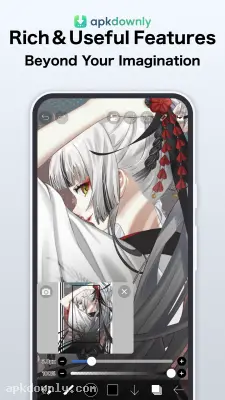

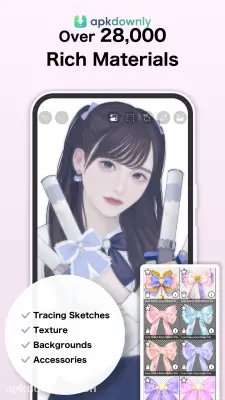
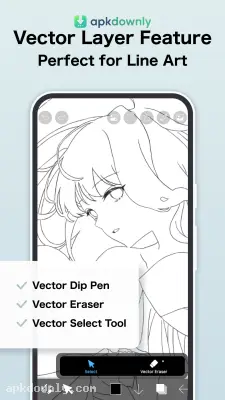


Screenshots from Google Play
More in Entertainment
View all →


About this app
ibis Paint X
ibis Paint X is a drawing app for Android devices. It gives you professional tools right on your phone screen. Many mobile drawing apps hide their best brushes behind expensive monthly subscriptions. This app takes a different path. You get thousands of brushes, layer controls, and manga creation tools right out of the box. You can even open up paid brushes for 18 hours just by watching a single short video ad.
People originally picked up this mobile drawing app to draw anime and manga panels. Today, all kinds of illustrators use it for character design, photo editing, and webtoons. You don't even need a fancy pressure-sensitive stylus to make clean line art. The built-in stroke stabilizer smooths out shaky finger lines automatically.
Top Tools Inside ibis Paint X
A lot of phone sketchbooks lag when you add too many layers. Because this software uses OpenGL technology, the canvas stays fast and runs at 60 frames per second on most devices.
The app gives you a lot of options when you open a canvas:
- Tons of brushes: You get more than 15,000 different brushes. This includes airbrushes, flat oil markers, and custom stamps for drawing chains.
- Screen recording: The app records your drawing process in the background. And you can save a speedpaint video of your work to post online.
- Layer support: You can use as many layers as your phone memory can handle. The menu includes 27 blending modes and clipping masks.
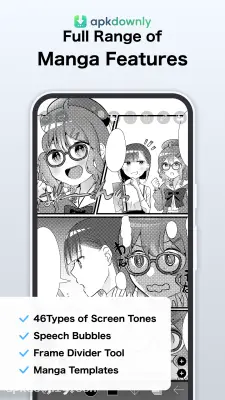
- Comic tools: There are specific tools for making comics. You get a panel divider, fonts for speech bubbles, and screentones for shading.
- Rulers: You can use different guide lines. The app includes symmetry rulers and perspective grids.
- Filters: The filter menu has over 80 options. You can add drop shadows or make anime backgrounds from your own pictures.
How to Draw Your First Piece
The workspace looks a bit crowded at first. But starting a drawing is pretty simple.
- Grab the ibis Paint X APK from our download button or install it through your app store.
- Open the app and tap "My Gallery" on the home screen.
- Tap the "+" button in the bottom corner to pick your canvas size. The standard 1:1 square or HD screen size works best for beginners.
- Tap the brush icon on the bottom bar to choose a pen. If a brush has a lock icon, tap to watch one quick ad and use all locked brushes for free for 18 hours.
- Pinch the screen with two fingers to zoom. You can tap with two fingers to undo a bad line.
- Tap the numbered square at the bottom right to open the layers menu. Add a new layer there when you want to ink over your sketch.
It runs fine on budget phones. But an old device might lag with a huge canvas and lots of layers.
Download ibis Paint X today and test out the dip pen brush with the stabilizer turned up to 5 to see how clean your lines look.





