

Bagan Keyboard
Get this app from Google Play Store for automatic updates & security. Use APK if Play Store is unavailable in your region or you need an older version.
Screenshots
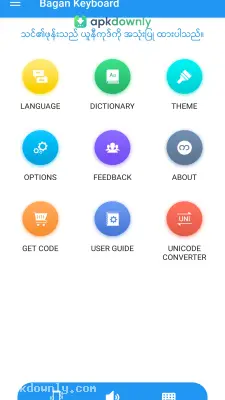
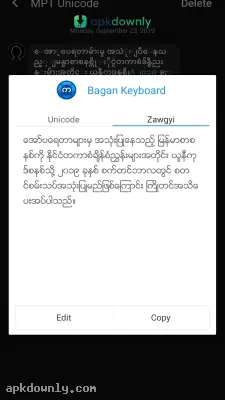
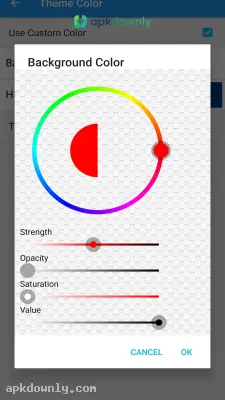
Screenshots from Google Play
About this app
Bagan Keyboard APK Download
Typing in Burmese on a regular smartphone is frustrating. The default keyboards just don't handle the 33 letters and various stacked characters very well. You end up tapping the same key three times trying to get one simple word right. The Bagan Keyboard APK download fixes this issue completely. It replaces the stock Android keyboard with something built specially for Myanmar scripts. And it fixes the biggest headache we all deal with when texting: the messy font situation.
If you text in Burmese, you know exactly what I mean about the fonts. Half of your contacts use the older Zawgyi system. The other half use the newer Unicode standard. When a Zawgyi user texts a Unicode user, everything breaks. The message turns into a bunch of blank square boxes. Or the spacing gets completely ruined. It is annoying. You end up having to guess what the other person is trying to say.
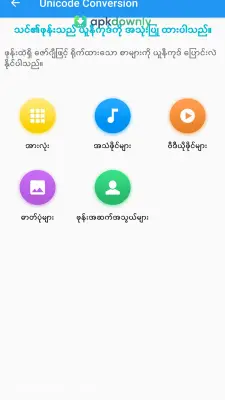
Bagan Keyboard fixes this quietly in the background. It reads the incoming text and automatically adjusts your screen so you can read the message clearly. You don't have to flip any switches in your phone's settings menu every time you talk to a different friend. The app just does the translation work for you.
What the Bagan Keyboard APK Download Actually Does
The developers added some very specific tools that cut down the time you spend staring at your screen.
Voice typing when your hands are full
Holding a phone with both hands to type a long paragraph isn't always possible. Maybe you are walking to work. Or carrying groceries. You can just tap the little microphone icon on the keyboard. The app listens to you speak and types the Burmese words out for you. It gets the spelling right almost every time. You rarely have to go back to fix a weird typo before hitting send.
Smarter word predictions
Typing out long phrases letter by letter gets tiring quickly. This keyboard actually watches what you type. After a couple of days, it learns your specific texting habits. It starts suggesting your most used words in a row right above the keys. You tap the suggestion and finish your sentence early. It speeds things up a lot, especially when you are in a rush.
Custom keyboard layouts
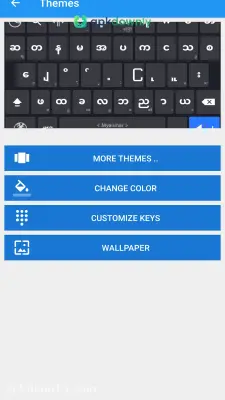
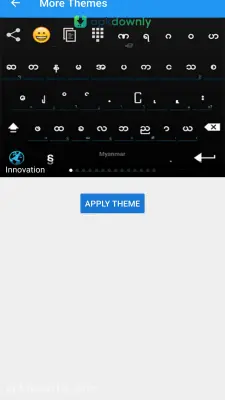
We don't all type the exact same way. The app gives you a few different key arrangements to pick from. You can stick with the classic layout or try something different. This helps cut down on hitting the wrong letter by mistake. You can also change the background colors. Make the keys dark gray to save your eyes at night, or pick a brighter theme that matches your phone case.
How to Set It Up on Your Phone
Getting this running takes about two minutes on any Android device.
- Download the installation file to your phone storage and open it.
- Head into your main phone settings and tap on the Language and Input menu.
- Find your virtual keyboards list and turn on the Bagan Keyboard toggle.
- Set it as your primary default keyboard so it pops up automatically.
- Open WhatsApp, Viber, or Messenger and tap the text box to test it out.
You really don't need to struggle with broken text boxes or missing letters anymore. The app solves the font problem immediately. Grab the Bagan Keyboard APK download today and get your phone set up right.



