
Audible
Get this app from Google Play Store for automatic updates & security. Use APK if Play Store is unavailable in your region or you need an older version.
Screenshots
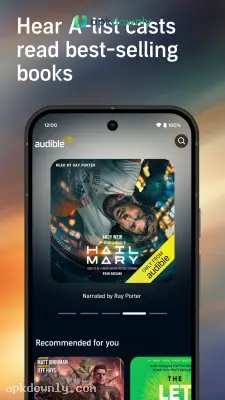
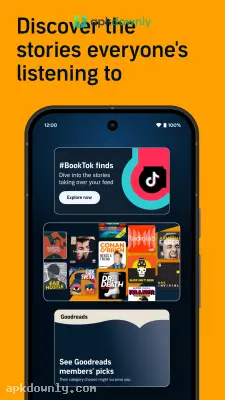
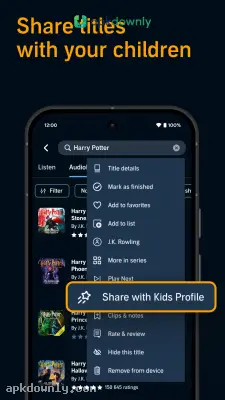

Screenshots from Google Play
What's new
About this app
Audible
Audible is Amazon's dedicated app for listening to books. It packs thousands of audio stories right into your phone. You just plug in your earbuds and let someone read to you, which beats lugging around thick paperbacks. People use it to finish novels while riding the bus, doing dishes, or walking the dog.
It changes how people consume long stories. Millions of users rely on it to finish books when their hands are tied up. You can even start listening on your phone and pick up right where you left off on an Alexa speaker at home.
What to find on the Audible app
This platform has the largest catalog of audio content. The library includes massive fantasy series, new fiction hits, and business guides. You also get access to specific audio shows that aren't on other platforms.
Often, the person who wrote the book reads it aloud to you, or a whole cast of voice actors performs the story like a radio play. You hear the exact emotion they intended. And if you subscribe to their membership, you get access to the Plus Catalog. This lets you stream thousands of included titles at no extra cost.
Key features of this audiobook player
- Adjustable speed: You control how fast the narrator talks. You can drop the speed down to catch complex details or crank it up to blaze through a mystery.
- Nighttime timer: Falling asleep to a book is easy here. You just tell the app to pause after twenty minutes or at the end of the chapter so you never lose your spot.
- Driving layout: The interface strips down to a few massive buttons. This keeps your eyes on the road if you need to hit pause in traffic.
- No-internet playback: You can save complete books right onto your device. You keep listening on airplanes or underground trains without needing a signal.
- Device syncing: The app links up with your Kindle books automatically. You read a few pages on your screen at home and pick up the exact same spot on audio the next day.
How to get started
Setting up the application takes almost no time.
- Grab the installation file directly from apkdownly.com and run it. Make sure your phone is set to accept apps from outside sources.
- Sign in with your standard Amazon account credentials. If you don't have one, you can create a free account right on the login screen.
- Scroll through the catalog or the included Plus section to pick your first story.
- Select the book cover and hit play to listen right away over your data connection.
- Tap the download icon if you plan to listen away from Wi-Fi later on.
Keeping your library organized Big audio files eat up phone storage fast. A normal novel easily takes up over 100 megabytes. The app fixes this by letting you delete the audio data once you finish the final chapter. You never lose ownership of the book.
It stays in your cloud library permanently. You can just tap it again to redownload it next year. You can also build folders to keep your self-help audio separate from your fantasy novels. Try to stay on a Wi-Fi network when saving massive book bundles.



